![CSS-CMYK-logo-2015-2.png]](https://go.christiansteven.com/hs-fs/hubfs/social-suggested-images/CSS-CMYK-logo-2015-2.png?height=40&name=CSS-CMYK-logo-2015-2.png)
Destinations - Amazon S3
- In the Schedule Wizard, go to Destinations.
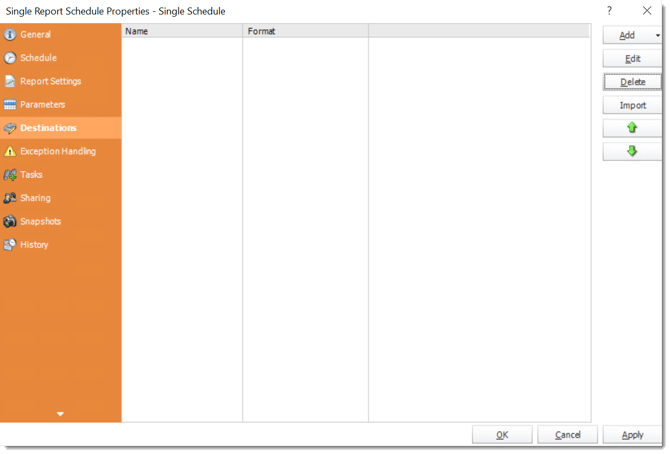
- Click Add and select Amazon S3.
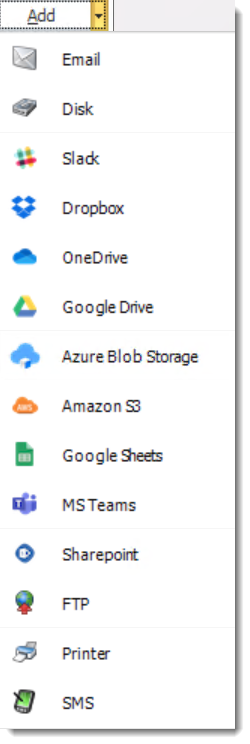
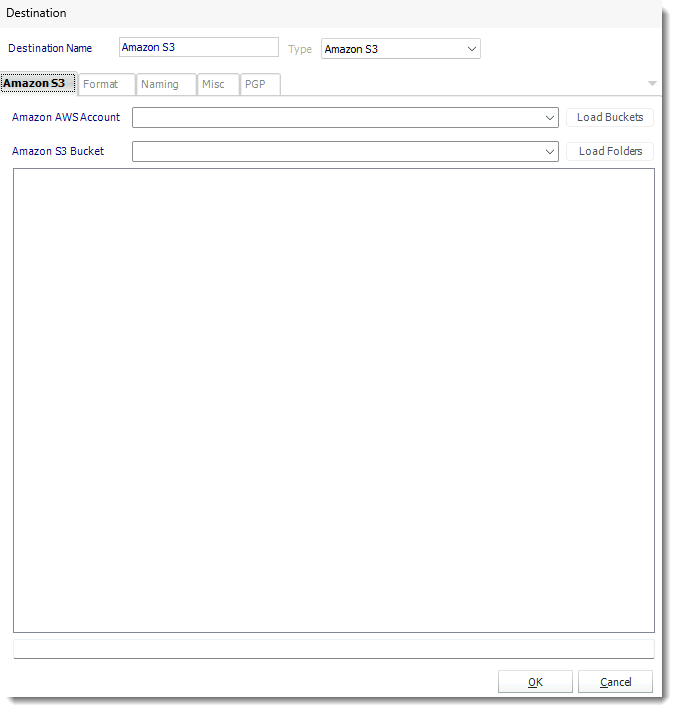
- The Amazon S3 allows you to deliver your Tableau Reports to a container.
- Amazon AWS Account: Use the drop-down menu to select the Amazon AWS Account.
- Load Buckets: Clicking this will automatically load the buckets for the destination.
- Amazon S3 Bucket: Select the bucket name to export the report.
- Load Folders: Clicking this will load the folders you would like the destination to deliver in.
- Click OK.