![CSS-CMYK-logo-2015-2.png]](https://go.christiansteven.com/hs-fs/hubfs/social-suggested-images/CSS-CMYK-logo-2015-2.png?height=40&name=CSS-CMYK-logo-2015-2.png)
System Monitor
- Go to System Monitor.

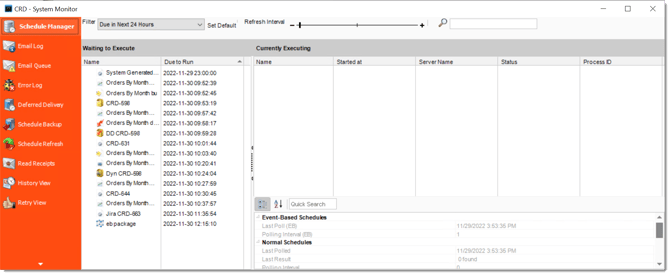
Select a section below for its instructions:
- Schedule Manager
- Email Log
- Email Queue
- Error Log
- Deferred Delivery
- Schedule Backup
- Schedule Refresh
- Read Receipts
- History View
- Retry View
Monitoring CRD API executions
For asynchronous API runs, save the returned ExecutionId. Use the API execution-status operation to track the run; the System Monitor does not provide a separate API execution queue. For step-by-step guidance, see Monitor CRD API Schedule Executions and the Monitor, Recover, and Reconcile Executions guide.