

Email Crystal Reports
Send Report Emails People Can Use.

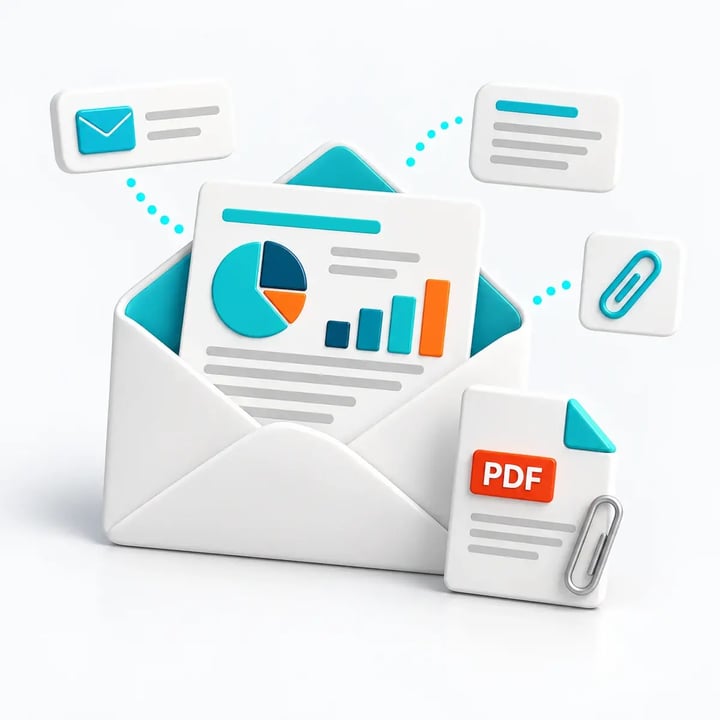
Give readers the report in the message and the files they need to keep. CRD prepares the email, adds personal details and sends it on schedule. All features are included in your licence, with no paid feature add-ons.
Show the report in the email body.
Send attachments alongside the report when required.
Design HTML messages with meaningful subjects and context.
Send through your organization’s reporting email account.

The Email Challenge
The Report Is Ready. The Email Still Needs Work.
Your team still has to write the message, choose the files and make the report readable for the recipient. CRD makes that presentation part of the reporting job.
Attachments Get Missed
Readers may need the key report in the message as well as a file to save.
Messages Need Context
A generic subject does little to explain the customer, shipment or reporting period.
The Same Email Needs Writing Again
The report changes, but someone still has to prepare and send the message each time.
Why Choose CRD
Make the Email Part of the Reporting Schedule
CRD brings the report, attachments, message and sending account together for recurring delivery.
SAP Crystal Server
Email Publications
SAP Crystal Server can embed personalized Crystal report content in email and attach documents through the applicable publishing workflow.
Personalized Publications require Concurrent Sessions licensing. Named User licensing supports ordinary scheduled delivery.
CRD
The Email Your Reader Needs
Show an individual report in the message, with a copy attached if needed.
Create HTML or plain-text messages that explain what has arrived.
Add customer names, reporting dates and other data values.
Set To, CC and BCC for the people who need the report.
Send through a supported business email account.
Email design and data-driven messaging are included in your CRD licence, with no additional publishing feature licence.
A Shipment Email With Its Pick Ticket
For example, a warehouse sends the pick ticket inside a shipment email, with a PDF attached for the recipient’s records. The reader can see the report immediately and keep the file for later.
Prepare
Run the shipment report.
Present
Show the pick ticket in the message.
Attach
Add the PDF copy.
Send
Identify the shipment in the subject.
An Email That Helps the Reader
Prepare the message once and let CRD use it for the next scheduled report.
A Report in the Email Body
Give readers the information without asking them to open an attachment first.
The Files They Need to Keep
Include a copy for filing or supporting documents for the next step.
Personalized HTML or Plain Text
Use a clear subject and personal details from your data. Data-driven messaging is included at no additional cost.
Less Email Preparation for Your Team
Keep the recurring details with the report schedule.
Your Business Email Account
Use supported SMTP, Microsoft 365, Exchange or another documented sending route.
The People Who Need the Report
Include the recipients, copies and reply options for that reporting job.
An Optional Summary
Add an AI-generated report summary when useful. It needs an external AI account, any applicable charges and approval to use the report data.
A Record When You Need It
Use queue, history and sent-item views to investigate a missing report email.
Send Yourself the Report Email You Have in Mind
Try CRD free for 30 days with one of your existing reports. See how the message, embedded report and attachments look in the email clients your readers use.
Built by ChristianSteven Software
Reporting automation experience from organizations around the world.
Your Report Email Questions, Answered
Answers to common questions before you try CRD.
Yes. An individual report can appear in the message with a copy attached. HTML embedding uses SMTP; MAPI embedding is text-only.
Yes. Inserts can add dates, customer names and database values to supported message fields. Data-driven functionality is included at no additional cost.
Yes, with a supported account setup and the tenant permissions your organization requires.
No. Output grouped by email address uses attachments or merged files instead. Data-driven reporting is included in the licence.
The CRD feature is included. Using it also requires an external AI account, any applicable service charges and approval for the report data. Generated summaries should be reviewed for accuracy.
They help you investigate the sending process. A sent record or read receipt does not establish that someone read the report; CRD’s read-receipt setting applies to Exchange.
Show Us the Report Email You Want to Send
Bring your report, required message and attachments. See how CRD can prepare the email your recipients need.