

Power BI Excel Automation
Automate Power BI Data Exports to Excel

Automatically turn Power BI visuals and paginated reports into data-only, formatted or template-based Excel workbooks, then deliver every finished file to the right recipient and destination.
Export up to 30,000 rows of summarized or underlying data from Power BI visuals.
Export up to 1,048,576 rows per worksheet from paginated reports into data-only or formatted Excel workbooks.
Populate existing Excel templates with scheduled Power BI data.
Export multiple visuals or multiple reports into one Excel workbook, with each visual or report placed on its own worksheet tab.

Power BI Visual Data
Export the Data Behind Power BI Visuals
PBRS can automatically extract summarized or underlying data from selected Power BI visuals and turn it into an organized Excel workbook—without requiring someone to open the report and export each visual manually.
Export Summarized or Underlying Data
Export up to 30,000 rows of summarized or underlying data from Power BI visuals, subject to the report, data model and applicable Power BI limitations.
Include the Details People Need
Add row and column totals—or calculate totals only for specified rows and columns. You can also control column headings, data types and Excel formats in the completed spreadsheet.
Export Multiple Visuals into One Workbook
Export data from multiple selected visuals into one worksheet or place each visual’s data on a separately named workbook tab.
Schedule the Entire Export Workflow
Generate and deliver the finished workbook on a recurring schedule or automatically when a qualifying business event occurs.
PBRS turns data from selected Power BI visuals into a repeatable Excel workflow—without manually exporting each visual every time.

Flexible Excel Outputs
Create the Excel Workbook Your Recipients Need
Deliver Power BI data in an Excel format that is ready for its intended purpose. PBRS can create clean data-only files, organize and format workbook content or populate an established Excel template automatically.
Produce Data-Only Workbooks
Create clean Excel files for further analysis, reconciliation, financial modeling or import into another business system.
Build Formatted Workbooks
Control column headings, data types and Excel number formats. Independently style headers, row totals, column totals, odd rows and even rows using bold text, font colors and background colors. PBRS styles can also be exported and reused to maintain consistent formatting across recurring workbooks.
Populate Existing Excel Templates
Insert Power BI data into a designated worksheet and starting cell—or place it in the next available position—inside a pre-existing Excel template.
Preserve a Consistent Workbook Structure
Reuse the same workbook layout on every scheduled run while PBRS replaces or adds the latest Power BI data.
PBRS can populate an established Excel template automatically, allowing teams to preserve familiar workbook structures while eliminating repetitive copying and pasting.

Paginated Reports to Excel
Turn Paginated Reports into Excel Workbooks
Automate Excel exports from Power BI paginated reports and SSRS reports. PBRS can produce clean data for further analysis or preserve the report’s designed layout in a formatted spreadsheet.
Export Large Paginated Report Datasets
Export up to Excel’s limit of 1,048,576 rows per worksheet, allowing recipients to work with substantially larger datasets than a standard Power BI visual export.
Choose Data-Only or Formatted Excel
Create an analysis-ready data-only spreadsheet or retain the report’s tables, grouping, headers and supported layout in a formatted workbook. For supported paginated and SSRS exports, you can export all pages or select a specific page range. Modern .xlsx output is supported, with legacy .xls available for applicable on-premises paginated reports and SSRS workflows.
Build Standard Multi-Report Excel Packages
Use a PBRS package schedule to generate multiple Power BI, Power BI Paginated, Power BI Report Server or SSRS reports from one workflow and combine the completed Excel outputs into one workbook. Place each report on its own worksheet tab, assign static or data-driven worksheet names and apply password protection to the completed workbook.
Automate Parameters, Generation and Delivery
Apply static or data-driven report parameters, generate the required workbook and deliver it automatically on a recurring schedule or qualifying business event.
PBRS supports both analysis-ready data exports and formatted paginated-report output, allowing the same automation platform to serve different Excel use cases.
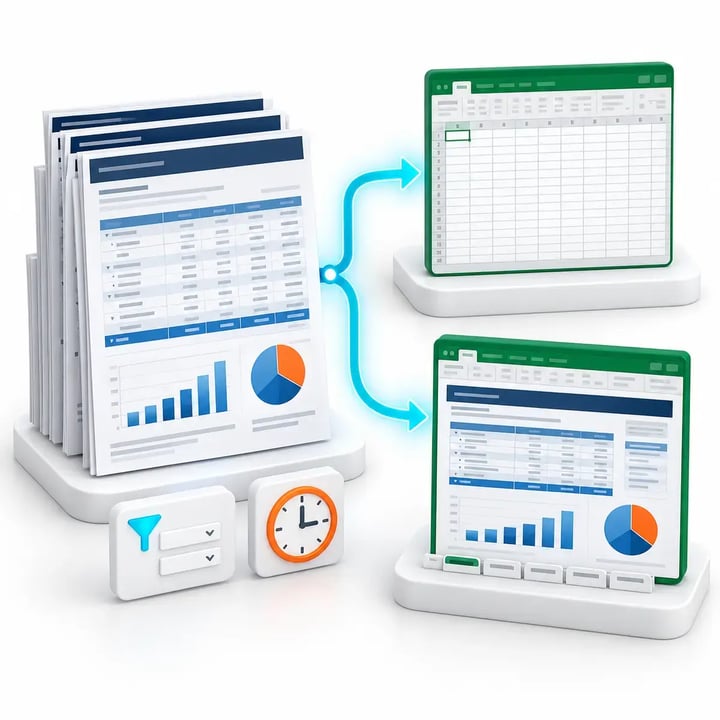
Scheduled Excel Automation
Generate Excel Workbooks When Reporting Needs to Happen
Run Power BI Excel exports on recurring schedules, organization-specific calendars or automatically when a qualifying business event occurs. PBRS operates as a Windows service, keeping reporting workflows running unattended.
Run Excel Exports on Precise Schedules
Generate workbooks hourly, daily, weekly or monthly—or use business days, custom calendars, exceptions and blackout periods.
Respond Automatically to Business Events
Trigger an Excel workflow when a database record changes, a file is created or modified, an unread email arrives or data is received on a monitored port.
Combine Timing with Workflow Rules
Use schedule or event conditions together with report filters, parameters, workbook settings, security, recipients and delivery destinations.
Keep Workflows Running Unattended
PBRS runs as a Windows service, allowing scheduled jobs and event-driven workflows to execute without someone opening Power BI or manually starting an export.
PBRS can create and deliver Power BI Excel workbooks at the required time—or automatically when the underlying business process signals that the report is needed.

Data-Driven Excel Packages
Create a Different Excel Report Package for Every Recipient
Use database or JSON data to determine the reports, visuals, filters, parameters, worksheet tabs, filenames, passwords, recipients and destinations required for each Excel package. PBRS then generates, assembles and delivers every recipient-specific workbook automatically.
Select Reports and Visuals Dynamically
Use database or JSON values to determine which Power BI, Power BI Paginated, Power BI Report Server or SSRS reports and visuals should be included in each recipient’s Excel package.
Apply Recipient-Specific Filters and Parameters
Generate a different view of each report for every customer, department, location, account or business unit using the required Power BI filters or report parameters.
Personalize Every Workbook and Delivery Detail
Control the workbook content, worksheet names, filename, password, recipient, message and delivery destination required for each personalized package.
Assemble and Deliver Each Package Automatically
Generate the required reports, combine the completed outputs into one organized Excel workbook and deliver the finished package by email, cloud storage, collaboration platform or secure folder.
One PBRS data-driven package can generate, assemble and deliver a different Excel workbook for every recipient from one centrally managed workflow.

Excel Workbook Security
Protect Every Excel Workbook Before Delivery
Protect sensitive financial, operational, HR, customer and management information before it leaves the reporting workflow. PBRS can password-protect Excel workbooks automatically and apply different passwords for individual recipients.
Password-Protect Excel Workbooks
Apply password protection to the completed Excel file before it is sent by email, uploaded to cloud storage or placed in another delivery destination.
Assign Data-Driven Passwords
Retrieve password values from a database or another data source so each recipient’s workbook can be protected with a different password.
Combine Security with Personalization
Apply the required report filters or parameters, workbook content, filename, recipient, destination and password within the same data-driven workflow.
Protect Combined Excel Workbooks
Apply password protection to a merged workbook containing outputs from multiple reports or report schedules.
PBRS can apply a unique, data-driven password to each personalized Excel workbook before automatically delivering it to the intended recipient.

Automated Excel Distribution
Deliver Every Workbook to the Right Destination
Complete the reporting workflow by delivering every generated Excel workbook to the people and locations that need it. PBRS supports email, collaboration platforms, cloud storage, secure file transfer and internal folders.
Send Workbooks by Email
Attach the completed workbook to an email and control the recipients, subject, message content, sender details and filename for each delivery.
Publish to Collaboration and Cloud Platforms
Distribute Excel files through Microsoft Teams or Slack, or deliver them to SharePoint, OneDrive, Google Drive and Dropbox.
Use Secure and Internal Destinations
Transfer workbooks through FTP or SFTP, or place them in local and network folders for internal processes and downstream systems.
Encrypt or Defer Excel Deliveries
Package a completed workbook in an encrypted, password-protected ZIP file. PBRS can also generate the workbook at its scheduled time and defer delivery until a specified later time.
Set Delivery Instructions Dynamically
Use workflow data to select a different recipient, destination, folder path or filename for every generated workbook.
PBRS generates, personalizes, protects and delivers each Excel workbook as one centrally managed reporting workflow.

Start Automating Power BI to Excel
Ready to Automate Your Power BI Excel Workflows?
Start with a free 30-day trial, or book a demonstration to see how PBRS can automate Power BI data extraction, workbook creation, personalization, protection and delivery.