

Share this
by Bobbie Ann Grant on Apr 25, 2026, 7:30:00 AM
Real-time business intelligence tools help us act on live data instead of waiting for yesterday's report. That one shift changes how enterprise teams monitor performance, catch issues early, and make decisions with less guesswork.
For organizations that run on reporting, speed is no longer a nice extra. Operations leaders want to see bottlenecks now. Finance teams want faster visibility into cash flow and variance. Sales leaders want pipeline movement as it happens, not after the quarter slips.
In this guide, we'll explain what real-time business intelligence solutions do, which features matter most, where they create the most business value, and how to evaluate the right fit. We'll also show where IntelliFront BI from ChristianSteven fits into this picture for teams that need live dashboards, KPI visibility, and enterprise-ready analytics.
What Real-Time Business Intelligence Tools Actually Do
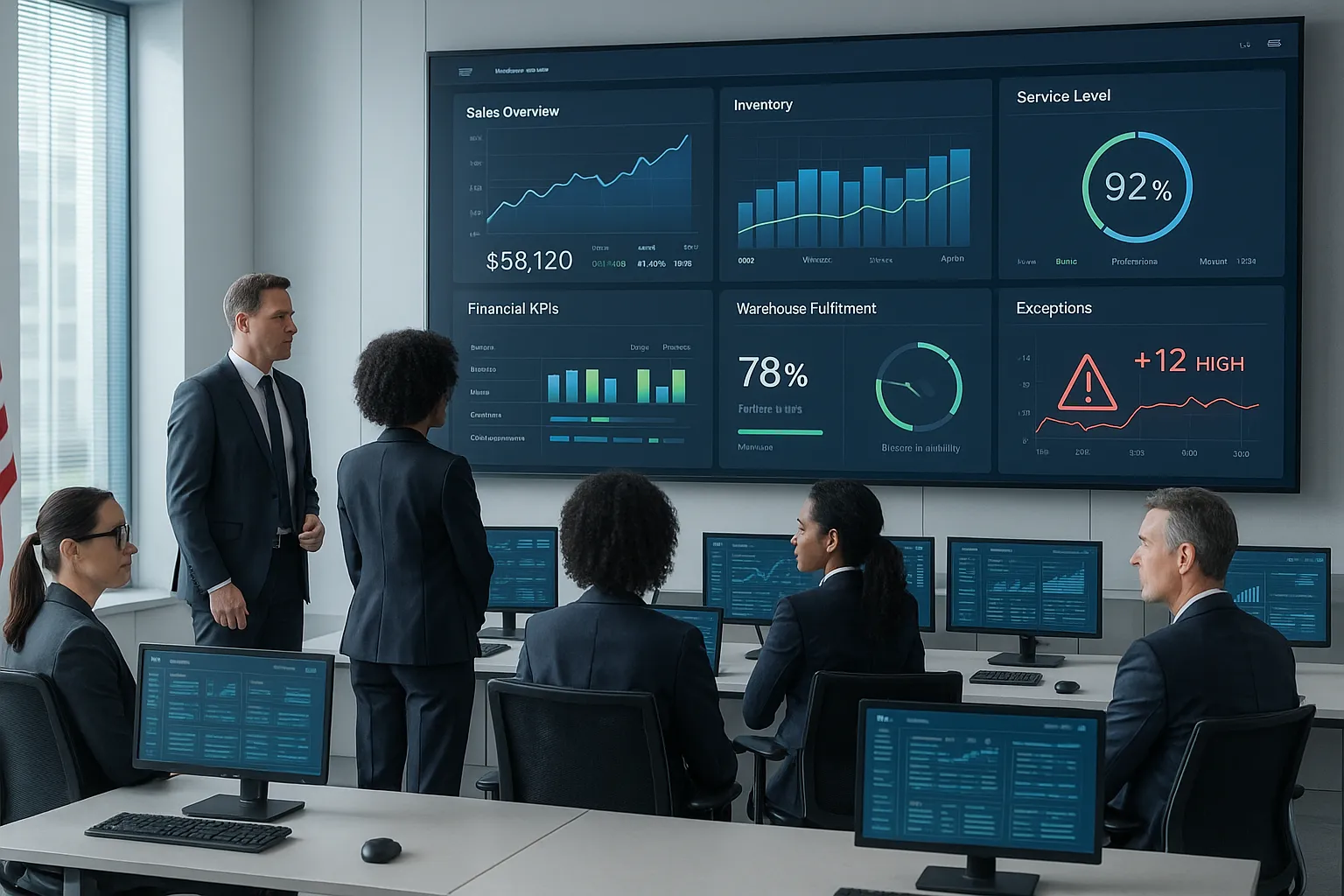
Real-time business intelligence tools collect, process, and present data with very little delay. In plain terms, they turn live operational data into dashboards, metrics, and alerts that teams can use right away.
Instead of waiting for static reports, we can monitor business activity as it happens. That includes sales volume, service levels, inventory movement, production output, financial indicators, and other KPIs that change throughout the day.
Most real-time business intelligence tools do three core jobs:
- Connect live data sources such as ERP, CRM, finance, operational databases, and cloud apps
- Refresh dashboards continuously or near real time
- Surface signals fast through visualizations, thresholds, and exception alerts
For enterprise teams, this means less time spent asking, "What happened?" and more time answering, "What should we do next?"
How Real-Time Analytics Differs From Traditional Reporting
Traditional reporting looks backward. It usually relies on scheduled data refreshes, static exports, or monthly reporting cycles. That still has value for audits, board summaries, and historical analysis.
Real-time analytics is different because it focuses on the current state of the business. It shows what is happening now and helps us compare current conditions against targets, baselines, or historical patterns.
A simple example:
- A traditional report tells us last month's order fulfillment rate
- A real-time dashboard shows today's fulfillment rate by warehouse and flags delays as they start
That difference matters. We move from post-event explanation to in-the-moment response.
If you want a broader overview of how modern BI works, IBM's guide to business intelligence is a useful reference.
Why Speed Matters For Enterprise Decision-Making
Speed matters because business conditions change fast. Demand shifts. Supply issues appear. Service queues spike. Cash positions tighten. And executives do not want to wait days to find out.
With real-time business intelligence tools, we can:
- Spot exceptions before they become larger problems
- Respond faster to market or operational changes
- Reduce the cost of delays and missed signals
- Give decision-makers a shared, current view of performance
There's also a trust factor. When leaders know the dashboard reflects what is happening now, they are more likely to act on it.
That is where IntelliFront BI can be relevant. ChristianSteven positions IntelliFront BI as a platform for data analytics, KPI dashboards, and reporting. For organizations that need a central view of live business metrics, it supports the core BI goal: turning raw data into usable, business-facing insight.
Core Features To Look For In A Real-Time BI Platform

Not every BI platform handles real-time use equally well. Some tools look strong in demos but struggle when multiple data sources, security rules, and enterprise scale enter the picture.
When we evaluate real-time business intelligence tools, we focus on a few essentials.
Live Data Integration And Pipeline Reliability
A real-time dashboard is only as good as the data behind it. If pipelines fail, lag, or duplicate records, the dashboard becomes noise.
Look for platforms that support:
- Direct connections or efficient data pipelines to core systems
- Stable refresh performance under heavy use
- Data validation and error handling
- Scalability as data volume grows
This is one reason data architecture matters just as much as front-end visuals.
Dashboards, Alerts, And Automated Report Delivery
Strong real-time business intelligence tools should make data easy to read at a glance. Dashboards need clear KPI views, filters, drill-down paths, and trend context.
Alerts matter too. Teams should be able to detect threshold breaches, unusual swings, or operational exceptions quickly.
Key dashboard and alert features include:
- Live KPI dashboards for teams and executives
- Threshold-based alerts for exceptions and anomalies
- Interactive filtering and drill-downs
- Mobile-friendly views for leaders away from their desks
Because this article focuses on real-time analytics, we care most about visibility and response, not delayed review.
With IntelliFront BI, the value here is in KPI dashboards and business-facing data visualization. The product is designed to help teams organize metrics into usable views, allowing organizations can present analytics in a clearer format for decision-makers.
Governance, Security, And Role-Based Access
Enterprise BI cannot just be fast. It also has to be controlled.
That means the right users see the right data, sensitive metrics stay protected, and definitions remain consistent across departments. Without governance, "real time" can create faster confusion.
Look for:
- Role-based access controls
- Audit visibility
- Central metric definitions
- Support for enterprise security policies
If your finance, HR, operations, and executive teams all use the same platform, governance is not optional. It is a requirement.
The Biggest Benefits For Enterprise Reporting Teams

For enterprise reporting teams, the biggest win is not just speed. It is faster clarity.
When we use real-time business intelligence tools, we spend less time compiling status updates and more time interpreting what the numbers mean. That changes the role of reporting teams from report producers to insight partners.
The benefits usually show up in a few ways:
- Quicker decisions: Leaders can act on current information instead of stale summaries
- Earlier issue detection: Teams catch service drops, revenue dips, or operational slowdowns before they spread
- Better cross-functional alignment: Everyone works from the same current metrics
- Less manual chasing: Analysts spend less time answering "Can you pull the latest numbers?"
- Stronger KPI accountability: Owners can see progress and exceptions in near real time
There is also a cultural effect. When live dashboards are visible, teams start asking better questions. Not "When will the report be ready?" but "Why did this metric change in the last two hours?" That is a healthier BI environment.
For organizations using IntelliFront BI, this benefit shows up in the way data becomes easier to consume across departments. Dashboards and KPI views can support shared visibility for executives, operations managers, finance leaders, and sales teams without forcing everyone into spreadsheets.
Where Real-Time BI Tools Deliver The Most Value

The best use cases for real-time business intelligence tools are the ones where delay has a cost. If late insight creates lost revenue, slower response, or poor customer experience, real-time BI is worth serious attention.
Operations, Finance, Sales, And Executive Reporting
Operations teams use real-time BI to track throughput, downtime, order status, inventory movement, and service performance. If a warehouse falls behind or a call center queue spikes, managers can see it quickly.
Finance teams use it for cash visibility, spend monitoring, receivables tracking, and budget variance. In large organizations, waiting for batch reporting can hide issues that need same-day action.
Sales teams use live dashboards to monitor pipeline changes, bookings, conversion activity, and regional performance. That helps leaders coach faster and shift resources sooner.
Executives benefit from having a current performance view across departments. Instead of asking each team for updates, they can review a common KPI layer.
These are practical business use cases for IntelliFront BI as well:
- Executive dashboards that show high-level KPIs across the business
- Finance visibility into revenue, margin, and variance trends
- Sales performance tracking by team, product, or region
- Operations monitoring for service levels, fulfillment, or productivity
Monitoring KPIs, Exceptions, And Time-Sensitive Trends
This is where real-time business intelligence tools often prove their value fastest.
A KPI dashboard is useful. But a live KPI dashboard that highlights exceptions is far more useful. It helps us focus on what changed, what crossed a threshold, and what needs action now.
Examples include:
- A sudden drop in daily sales by region
- An unusual rise in product returns
- Service response times moving outside target range
- Inventory falling below safe levels
- Margin erosion on a key account
Real-time business intelligence tools are strongest when they help people notice change early and respond with confidence.
Common Challenges When Implementing Real-Time BI Tools
Real-time BI sounds great until the hard parts show up. And they usually do.
The biggest implementation problems are not the charts. They are the data, the systems, and the people.
Data Quality, Adoption, And System Complexity
If source data is inconsistent, late, or poorly defined, real-time output will only spread bad information faster. We need clean source logic, shared metric definitions, and validation steps.
Adoption is another issue. Some teams still trust spreadsheets more than dashboards. Others get overwhelmed by too many views and too many alerts.
System complexity can also creep up fast, especially when organizations connect many platforms at once.
Common problems include:
- Conflicting KPI definitions across departments
- Integration failures or data lag
- Alert fatigue from too many notifications
- Low user adoption due to weak training or poor dashboard design
- Performance issues at scale
That is why successful rollouts usually start with a narrow set of high-value use cases. Pick a few critical KPIs, prove trust in the data, then expand.
How To Evaluate The Right Real-Time BI Tool For Your Organization
Choosing among real-time business intelligence tools is not just about feature lists. We need to test how well a platform fits our data environment, governance needs, and business workflows.
A practical evaluation process helps.
First, define the exact decisions that need faster data. If no one can name those decisions, the project may turn into a dashboard collection exercise.
Second, list the systems the tool must connect to. That usually includes ERP, CRM, finance systems, operational databases, and cloud platforms.
Third, verify whether the platform can support the audience that will use it, from analysts to executives.
Questions To Ask About Scalability, Automation, And Integration
Use questions like these during evaluation:
- Can the platform handle our data volume and refresh needs?
- How does it manage live or near-real-time integrations?
- What controls exist for role-based access and governance?
- How easy is it to build executive dashboards and KPI views?
- What happens when data pipelines fail or slow down?
- Can business users understand the interface without heavy training?
- How well does it integrate with our existing reporting stack?
If IntelliFront BI is on your shortlist, review the product page for platform positioning and the knowledgebase articles for more practical details. That combination helps us assess both strategic fit and day-to-day usability.
We should also ask vendors for a proof of concept built around a real business use case, not a polished demo. For example:
- Can the platform show live sales pipeline movement by region?
- Can it surface finance exceptions that need same-day review?
- Can operations leaders monitor fulfillment or service KPIs in one place?
Those questions reveal a lot faster than a generic presentation.
Conclusion
Real-time business intelligence tools help enterprise teams move from delayed reporting to active decision support. That shift matters when leaders need to monitor KPIs, detect exceptions early, and respond while there is still time to change the outcome.
The right platform should connect cleanly to live data, present information clearly, support secure access, and make business action easier. It should not just produce attractive dashboards. It should help people decide.
For organizations exploring options, IntelliFront BI from ChristianSteven is relevant as a business intelligence platform focused on dashboards, KPIs, and analytics. If your goal is to improve visibility across finance, sales, operations, and executive reporting, it is worth reviewing the IntelliFront BI product page and the IntelliFront BI knowledgebase.
Meta title: Real-Time Business Intelligence Tools Guide
Meta description: Learn how to choose real-time business intelligence tools that improve KPI visibility, speed decisions, and support enterprise analytics.
Key Takeaways
- Real-time business intelligence tools transform live data into dashboards and alerts, enabling enterprise teams to monitor performance and respond immediately.
- These tools differ from traditional reporting by focusing on current business conditions, facilitating faster and more informed decision-making.
- Core features to prioritize include reliable live data integration, clear KPI dashboards with alerts, and strong governance with role-based access controls.
- Real-time BI tools provide significant value in operations, finance, sales, and executive reporting by highlighting exceptions and time-sensitive trends early.
- Implementing real-time BI requires addressing data quality, user adoption, and system complexity through focused use cases and clear metrics.
- Evaluating the right platform should involve testing integration capabilities, scalability, user experience, and alignment with key business decisions, as exemplified by IntelliFront BI.
Frequently Asked Questions about Real-Time Business Intelligence Tools
What are real-time business intelligence tools and how do they improve decision-making?
Real-time business intelligence tools process live operational data to provide up-to-the-minute dashboards, alerts, and metrics. This enables faster decisions by giving leaders current visibility into sales, finance, operations, and KPIs, reducing delays compared to traditional reporting.
How do real-time business intelligence tools differ from traditional reporting systems?
Unlike traditional reporting, which relies on historical and static data refreshed periodically, real-time BI tools provide continuous updates and current state insights. They surface live data, helping teams respond instantly to changes rather than analyzing past performance.
Why is speed critical in enterprise decision-making with real-time BI?
Speed allows businesses to quickly spot exceptions, respond to market changes, and reduce costs from delays. Real-time BI ensures decision-makers act on accurate data now, enhancing operational agility and giving a competitive advantage.
What core features should I look for in a real-time BI platform?
Key features include reliable live data integration, auto-refreshing dashboards, clear visualizations, threshold-based alerts, role-based access controls, and scalability. These ensure accurate, secure, and usable insights for all business users.
How can real-time BI tools help different departments like sales, finance, and operations?
Sales teams benefit from live pipeline visibility; finance gains faster cash flow and variance insights; operations monitor throughput and service levels instantly. Real-time BI aligns these functions around current KPIs for better collaboration and faster responses.
What are common challenges when implementing real-time business intelligence solutions?
Challenges include ensuring data quality and validation, addressing user adoption resistance, managing system complexity, avoiding alert fatigue, and maintaining performance at scale. Successful rollouts start small with critical KPIs and grow as trust builds.


No Comments Yet
Let us know what you think