

Power BI Report Package Automation
Automate Power BI Report Packages

Use PBRS to run multiple Power BI, paginated, Report Server and SSRS reports, assemble them into complete report packages and deliver each package automatically—without building and maintaining a complex Power Automate workflow.
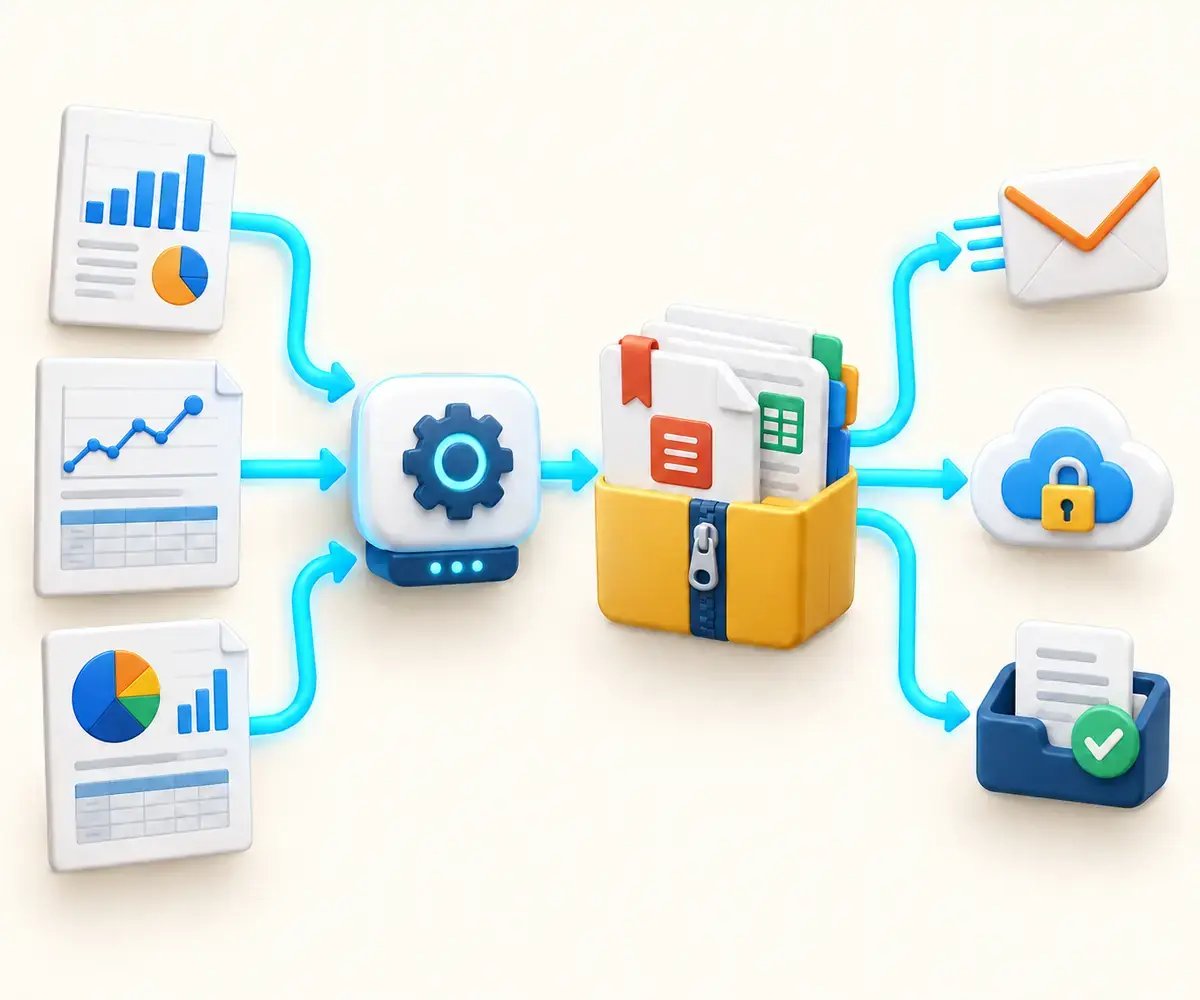
Report Package Workflow
Turn Multiple Reports Into One Complete Delivery
PBRS runs and controls multiple reports as one coordinated workflow. Configure every report independently, organize the completed outputs into the required package and deliver everything together. PBRS extends Power BI report automation beyond individual exports by generating, assembling, securing and delivering complete multi-report packages.
Select the Reports
Add multiple Power BI Service, paginated, Power BI Report Server or SSRS reports to one centrally managed package schedule.
Configure Each Output
Give each report its own filters, parameters, export format, filename, security settings and processing instructions.
Assemble the Package
Keep the reports as separate attachments or assemble them into a ZIP archive, bookmarked PDF or multi-tab Excel workbook.
Deliver It Automatically
Deliver the completed package by email or to its designated destination on a schedule or supported business event.
Multi-Report Package Schedules
Build One Package from Multiple Reports
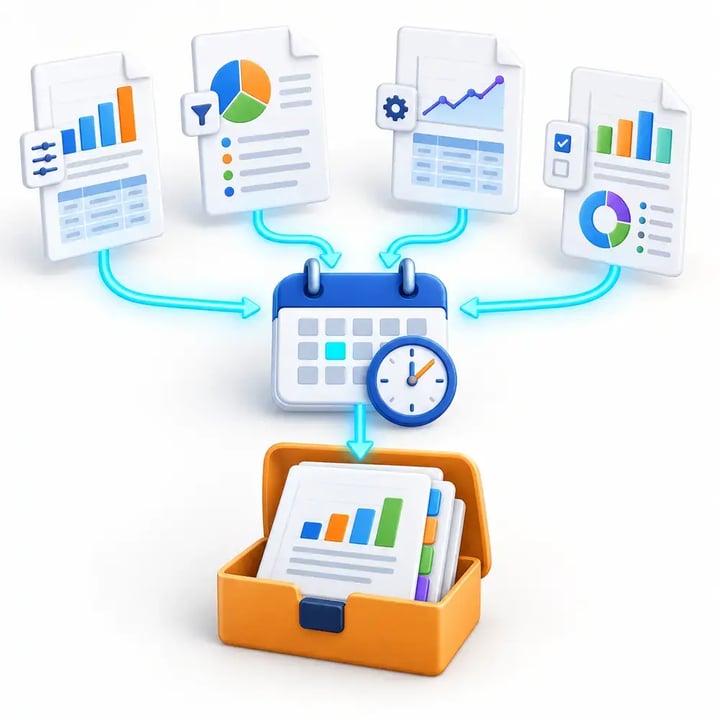
Create one centrally managed PBRS schedule that runs every report required for a complete reporting package. Each report retains its own configuration while PBRS coordinates the entire process.
Flexible Package Assembly
Deliver Multiple Reports as One Complete Package
Choose how PBRS assembles and presents the reports generated by each package schedule. Deliver completed files separately, display selected report content directly in the email or combine everything into one organized, recipient-ready package.
Send every report as a separate attachment in one email.
Embed a selected report output directly in the email body as an image or HTML while delivering the complete report package as attachments or a ZIP archive.
Place multiple report files inside a single ZIP archive.
Merge reports into one ordered PDF with bookmarks for easier navigation.
Combine report outputs into a multi-tab Excel workbook.
Apply password protection and document security where required.
Deliver the completed package by email or to another supported destination.

Unattended Package Automation
Run Complete Report Packages on Schedules or Business Events
Automate the entire package workflow with PBRS. Start each job at the required time or in response to a supported business event, then generate, assemble and deliver every report without manual intervention.

DATA-DRIVEN PACKAGES
Create a Complete, Personalized Report Package for Every Recipient
Use SQL or JSON data to control which reports PBRS generates, how each report is personalized and where the completed package is delivered. One data-driven schedule can automatically create distinct report packages for customers, departments, locations or other recipients.
Process every qualifying data record from one centrally managed package schedule.
Select and personalize multiple reports using recipient-specific filters, parameters and other instructions.
Control formats, filenames, messages and security dynamically for each generated package.
Automatically collate the finished reports as separate attachments, a ZIP archive, a bookmarked PDF or a multi-tab Excel workbook.
Deliver each package to its defined destination, including an email recipient or dedicated cloud, FTP or network folder.
REPORT PACKAGE USE CASES
Where Automated Power BI Report Packages Deliver the Most Value
PBRS is designed for reporting processes where several reports must be generated, organized and delivered together—often with different content for each recipient.
Executive and Board Reporting
Combine financial, operational and performance reports into one organized executive package for scheduled distribution.
Customer and Partner Reporting
Create a personalized package for every customer, account, vendor or business partner from one data-driven process.
Department and Location Reporting
Generate filtered report packages for branches, regions, stores, departments, cost centers or operating units.
Compliance and Audit Packages
Produce consistent, secured and traceable reporting packages with repeatable delivery and centralized execution history.
AUTOMATE THE COMPLETE PACKAGE
Ready to Stop Building Power BI Report Packages by Hand?
Let PBRS generate, personalize, assemble and deliver complete multi-report packages automatically—on a schedule or in response to a business event.
PURPOSE-BUILT REPORT PACKAGING
When PBRS Is the Better Choice Than Power Automate
Power Automate can coordinate individual export actions. When a reporting process must generate, personalize, assemble, secure and deliver several reports together, PBRS manages the complete package as one reporting workflow.
POWER AUTOMATE
Requires More Workflow Assembly
Build and maintain the actions, loops and branches needed to export every report.
Maintain recipient-specific filters, parameters, formats, filenames and delivery logic.
Add temporary storage and extra processing to collect and assemble completed files.
Coordinate separate actions or additional tools for packaging, security and delivery.
Develop and maintain additional failure, retry, notification and monitoring logic.
PBRS
Manages the Complete Package
Configure multiple reports and their execution order within one centrally managed schedule.
Use SQL or JSON data to control reports, recipients, filters, formats and destinations.
Assemble outputs as separate attachments, a ZIP archive, a bookmarked PDF or a multi-tab Excel workbook.
Apply package security and route each completed delivery to its designated destination.
Monitor package execution through centralized history, notifications and configured exception handling.
Choose PBRS when the reporting requirement is a complete, repeatable package—not simply a collection of individual export actions.
REPORTING ENVIRONMENT SUPPORT
Build Report Packages Across Your Power BI Environment
PBRS supports automated report packaging and delivery across the Microsoft reporting environments your organization already uses.
Power BI Service Reports
Generate, package and distribute reports hosted in the Power BI Service using supported deployment and authentication configurations.
Power BI Report Server
Automate the generation and delivery of report packages from on-premises Power BI Report Server environments.
Power BI Paginated Reports
Include precisely formatted paginated reports in scheduled or data-driven packages for operational and regulatory reporting.
Microsoft SSRS
Bring existing SSRS reports into automated package workflows alongside your broader Microsoft reporting processes.
Available export formats, authentication options and licensing requirements depend on the report source and deployment configuration.
REPORT AUTOMATION EXPERTISE
Built by ChristianSteven Software
ChristianSteven has specialized in business intelligence report automation for more than 20 years. PBRS applies that experience to Power BI and Microsoft reporting environments with purpose-built scheduling, data-driven processing, package assembly, secure delivery and execution monitoring.
Report Automation Specialists
Decades of experience solving recurring report generation, personalization and delivery requirements.
Purpose-Built Technology
PBRS is designed specifically for report scheduling, data-driven processing, packaging and distribution.
Centralized Control
Manage schedules, package instructions, destinations, notifications and execution history from one application.
Microsoft Reporting Support
Automate reporting workflows across Power BI Service, Power BI Report Server, paginated reports and SSRS.
Questions About Automating Power BI Report Packages
Learn how PBRS generates, personalizes, assembles, secures and delivers complete Power BI report packages across scheduled, event-driven and data-driven workflows.
A Power BI report package is an organized collection of reports generated and delivered as one automated reporting job. PBRS can deliver the reports as separate attachments or assemble them into a ZIP archive, bookmarked PDF or multi-tab Excel workbook.
Yes. PBRS can generate multiple reports and deliver them together in a single email instead of sending each report separately. Reports can remain as individual attachments or be assembled into a supported combined package.
Yes. PBRS can place selected report output directly in the email body as an image or HTML while delivering the complete report package as attachments, a ZIP archive or another supported package format. The email message can also be personalized for each recipient.
Yes. Depending on the selected reports and output formats, PBRS can create ZIP archives, combine reports into a bookmarked PDF or place report outputs into separate tabs within an Excel workbook. It can also deliver several reports as individual attachments.
Yes. A data-driven package can use SQL or JSON data to control each recipient’s reports, filters, parameters, formats, filenames, messages, security settings and destinations. PBRS generates, assembles and delivers the appropriate package for every qualifying data record.
Yes. Packages can run hourly, daily, weekly, monthly or according to a custom calendar. PBRS can also start a workflow when supported database, file, email or application events occur.
Yes. PBRS can refresh the required Power BI datasets before generating the reports in a package. This helps ensure the completed package contains current data before it is assembled and delivered.
PBRS can deliver report packages through email and to supported destinations including Microsoft Teams, SharePoint, OneDrive, Google Drive, Dropbox, FTP and network folders. The destination can be configured centrally or selected dynamically through a data-driven schedule.
PBRS is the better choice when a workflow must generate several reports, personalize them by recipient, assemble them into an organized package, apply security and deliver the result automatically. Power Automate may be adequate for simpler export tasks, but complex report packages typically require additional actions, loops, temporary storage and maintenance.
START AUTOMATING WITH PBRS
Ready to Automate Complete Power BI Report Packages?
Replace manual report generation and assembly with one PBRS workflow that creates, personalizes, secures and delivers complete multi-report packages automatically.
Run multiple reports from one centrally managed package schedule.
Create static or personalized data-driven report packages.
Deliver reports as attachments, ZIP archives, bookmarked PDFs or multi-tab Excel workbooks.