

LEARN CRYSTAL REPORTS

Why Does a Crystal Report Run Manually but Fail When Scheduled?

A Crystal Report can work manually and fail on a schedule because the unattended job uses a different account, connection, path, parameter set or runtime environment.

CRD helps organize recurring execution and its results, but the underlying access or compatibility problem still needs to be identified and corrected.

  
Your reporting task

Follow the run that happened while nobody was logged in

Imagine a finance report that previews correctly on your laptop but fails before the morning meeting. Reopening it manually produces the expected figures, so the natural temptation is to run it again and move on.

That restores today’s report without explaining tomorrow’s failure. Compare the successful interactive run with the scheduled one: where it ran, which account executed it and what values it used.

Start with the earliest recorded error for the failed run. A missing email may be the visible symptom of a database connection failure that happened before any PDF existed.

Change one condition at a time

Keep the report and reporting period fixed while comparing environments. Otherwise a repaired connection and changed selection can hide the original cause.

  
Your options

Compare the environments before changing schedulers

In Crystal Server, review the failed instance, its database logon and scheduled parameters. In a script-based setup, inspect the process output and the account used by the scheduled task. A working desktop connection does not automatically exist for that account.

Common differences include a mapped drive unavailable in the service session, a data source configured only for your user, a subreport using separate credentials, or a driver that does not match the executing runtime.

CRD is a way to configure and manage the recurring report workflow. It is not a replacement for a compatible report, reachable database and authorized execution account. Correct those requirements whichever scheduler you choose.

Check the subreports

The main report connecting successfully does not prove that every subreport has the same connection or parameter settings.

  
Put it into practice

Reproduce the finance job under unattended conditions

Locate the RPT file from the executing host and check the database connections there. Compare the saved report parameters with the values used in the successful manual run, including dates, nulls and any required subreport values.

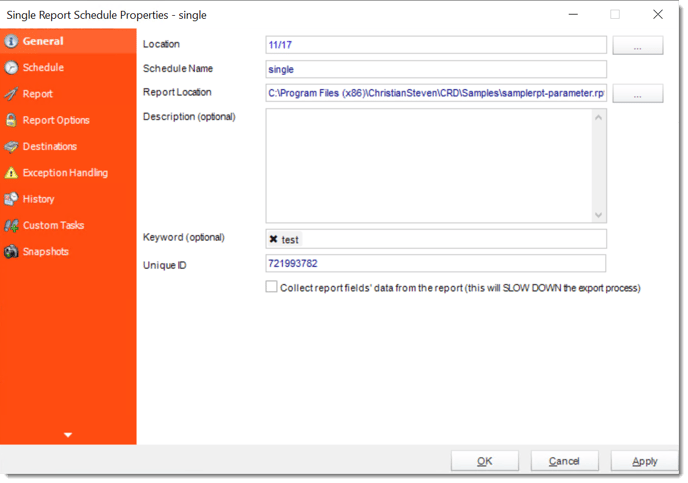
For a CRD evaluation, configure a controlled Single Report schedule with those same requirements. The report path must be reachable from the server, and database access must work for the unattended context. Use a test destination so diagnosis does not send repeated reports to finance.

Let the schedule run without relying on your logged-in desktop. If it fails, preserve the specific error and address that stage before testing the next part of the job.

The Single Report documentation describes report parameters, database access and execution history.

crd single general

Distinguish file access from data access

Reaching the RPT file is only the first step. The report still needs its databases, subreports and output destination.

  
Keep it dependable

Keep useful evidence for the next investigation

Record the host, execution account, reporting period and run time with the error. A colleague can then compare the right conditions without being given confidential report data or credentials.

Once the report runs, verify the delivered output as well. A successful query does not establish that export and delivery completed.

Technical reference: compatibility and credentials

Check runtime version, driver architecture and required connection configuration on the executing machine. Compare machine-wide and user-specific data sources where relevant. Use the exact error to decide which dependency to investigate.

Keep passwords and connection secrets out of ordinary logs and support examples. Do not grant broad administrator access merely to make a test pass; establish the permissions the report and destination actually require.

Turn the fix into an operational note

Record the cause and the corrected dependency. A note saying only “ran it again” leaves the next reporting owner with the same mystery.

  
Your next step

Make tomorrow’s scheduled run the real test

The finance report is dependable when the unattended run produces and delivers the expected file. Keep the first normal scheduled cycle as part of your verification after correcting the cause.

If you also need a dedicated place to manage that routine, explore CRD scheduling with the same report and execution requirements.

Contributors:

Christian Ofori-Boateng

Christian Ofori-Boateng

CEO, ChristianSteven Software