

How Do You Keep Dated Copies of Tableau Reports Without Overwriting Previous Files?
Finance asks for the report used at last month’s review, but the shared folder contains only the latest file. The previous close has been overwritten.
Advanced Tableau Report Scheduler (ATRS) can name and deliver recurring Tableau Cloud files so the team keeps recognizable reporting-period copies.
- THE PROBLEM AND ANSWER Keep the document behind the earlier discussion
- YOUR OPTIONS Choose a latest copy and a period archive deliberately
- SET IT UP Prepare and test the archive naming rule
- FOR DEVELOPERS Let your application trace a requested archive copy
- YOUR NEXT STEP Return to the figures the team actually reviewed
Keep the document behind the earlier discussion
Imagine the finance manager asking why a figure changed since the previous close. The team opens its shared folder and finds Sales.pdf, overwritten by this month’s delivery. Nobody can compare the original documents.
The reporting routine needs to preserve the file that supported each review. Re-running an old period against a changed source may produce different figures, even when the title looks familiar.
ATRS can apply custom output names and date/time suffixes and deliver another copy to an archive destination. The team can keep the accepted close document instead of relying on the next export to reconstruct it.
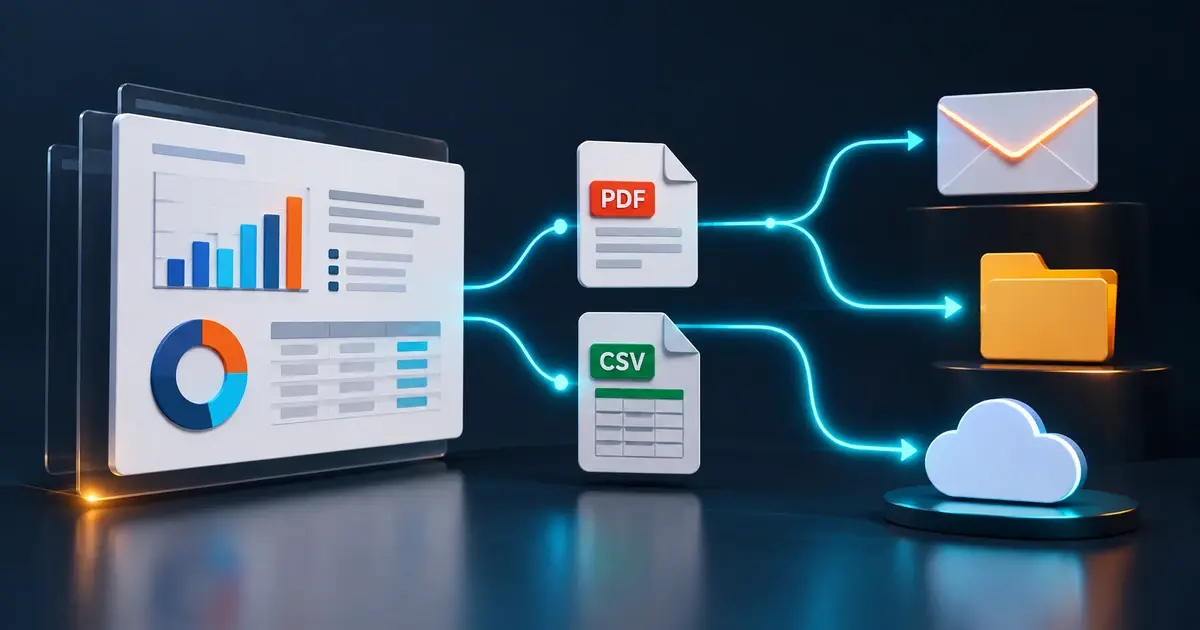
Conceptual illustration: Report files routed to the people and locations that use them.
Ask which copy finance needs
The original close document and a newly regenerated historical report may contain different figures.
Choose a latest copy and a period archive deliberately
A stable filename can be useful when another system always reads the latest report. It is less useful as the only record of a monthly review.
Give the two copies separate purposes. The working location can hold the current file while the archive uses a reporting-period name, with a run timestamp when several versions of that close need to remain distinct.
Agree that naming with finance. A file produced today for last month’s close should identify last month in its reporting-period label. The generation timestamp answers when that version was made, which is a different question.
Period names, timestamps and retained outputs
ATRS naming settings support custom filenames, inserts and date/time suffixes. The guide explains that identical names in the same folder can be overwritten, while a timestamp can distinguish files.
Use the date or business-period values appropriate to the report and confirm the intended time-zone convention. Changing an extension changes the name, not the file’s underlying format.
An archive destination is not an immutable records-management or backup guarantee. Apply your organization’s access, retention and storage controls separately. ATRS supports Tableau Cloud only.
Give each date a meaning
The reporting period identifies the business figures; a generation timestamp identifies the produced version.
Prepare and test the archive naming rule
Begin with finance’s accepted close report and a test archive folder. Select the Tableau Cloud report and period in ATRS, then add the archive destination beside any normal reader delivery.
Choose a filename that finance can recognize later. Include the reporting month through the supported naming inputs, and add a generation timestamp where replacement versions must remain distinguishable.
Run the same test period twice and inspect the resulting files. Check the actual names and whether both copies remain. Then run the next period and ask a finance colleague to find the earlier close without opening every file.
Open that retained copy and compare the figure the earlier review used. Once finance can find and read the intended record, enable the recurrence and agree who maintains the archive location and retention process.
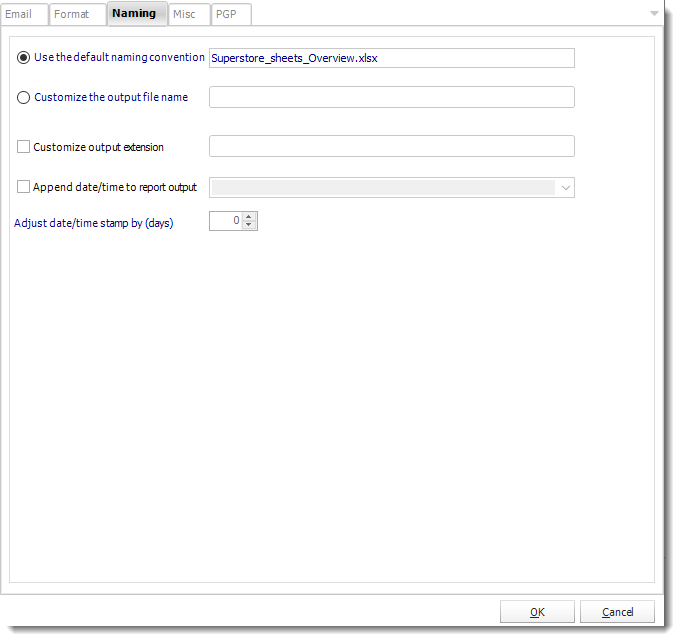
Configure the output name and date/time suffixes around the reporting period and version the archive needs.
Retrieval, recovery and storage responsibilities
Destination settings support disk/network locations and appropriate cloud destinations. The unattended account needs access to the actual archive path.
History helps identify the reporting run; the file archive preserves its output. Snapshot recovery depends on snapshots having been enabled and the original file still being retained. Enabling retention later cannot recreate an output that was never kept.
Before a recovery, inspect successful destinations and preserved files. Regenerating the same period can reflect changed data or settings, so distinguish a new version from the original close.

Repeat the same period
A second run shows whether the naming rule preserves the versions finance expects to keep.
Let your application trace a requested archive copy
Your finance application can keep the reporting period, ATRS execution reference and archive file reference together. That makes an earlier close easier for a colleague to find.
When the application requests a replacement, label it as a new version and preserve the original where policy requires it.
API example: follow the requested archive delivery
Use the retained ExecutionId returned for the application’s actual ATRS request. The identifier selects one API execution, not every version of a reporting month.
GET /api/Schedule/GetExecutionStatus?ExecutionId=<retained-execution-id>
Authorization: Bearer <ATRS-access-token>The status response does not retrieve archived file bytes or prove that storage retains the original permanently. Keep the destination/file reference and your defined delivery evidence with the execution record.
Follow the ATRS execution guide. Keep the token on an authorized backend. Monitor within a defined deadline and decode ResultJson; Completed can contain Result=false. Check the expected files and destinations before reporting delivery. Reconcile an uncertain execution before submitting another copy.
Keep a file reference too
An execution identifier helps trace a run. The archive location and filename help someone retrieve its document.
Return to the figures the team actually reviewed
Finance can return to the document used at the earlier review and discuss what changed. The next scheduled report can arrive without replacing the only copy of last month’s figures.
Start with one report the team currently overwrites. Its period, filename and retrieval needs give you a concrete archive rule to test in ATRS.
Contributors:
Christian Ofori-Boateng
CEO, ChristianSteven Software

