

LEARN CRYSTAL REPORTS

How to Replace an Old Crystal Reports Scheduler Without Losing Your Reporting Routine

Replace an old Crystal Reports scheduler by capturing the reporting routine first, then proving representative jobs in the replacement before switching delivery.

CRD can automate existing Crystal Reports, but the transition still needs deliberate checks of parameters, calendars, database access and destinations.

  
Your reporting task

Preserve the routine people already rely on

Imagine inheriting a scheduler that sends the morning sales report, prints warehouse documents and prepares month-end statements. The software is ageing, but colleagues know when and where each report should appear.

Replacing the scheduler does not mean redesigning all those reports. Start with the reporting promises it currently keeps: who receives what, which period it covers and what happens when it fails.

Find the jobs people would notice first if they disappeared. Those make better pilot candidates than choosing only the smallest, easiest report and assuming the rest will follow.

Ask about quiet dependencies

A file in a shared folder may feed another business system. Its filename and arrival time can matter as much as the visible report layout.

  
Your options

Decide what really needs replacing

An existing Crystal Server deployment may still meet the requirement after a supported upgrade or configuration change. A maintained script may be adequate for a small, stable workload. Assess the cost of keeping that route working alongside the cost of changing it.

A dedicated scheduler such as CRD is relevant when you want to retain the RPT files while managing their recurring exports and delivery separately. It does not replace the Crystal Reports designer or automatically convert the reports into another BI platform.

Do not assume the old scheduler’s configuration imports directly. The requirement is a verified equivalent reporting routine, whether its instructions are transferred through a supported method or recreated.

Separate replacement from report repair

A report that depends on a missing driver or obsolete connection may need attention whichever scheduler you choose. Include that work in the transition.

  
Put it into practice

Prove a representative set of jobs in CRD

Record the RPT path, parameter values, subreport connections, cadence, destination, output format and owner for each pilot. Include one ordinary daily report, one personalized output and one calendar or package job if your workload uses them.

Configure those jobs in CRD and deliver to controlled destinations. Compare their actual files with the accepted output from the old system. Look at dates, totals, page content, workbook structure and filenames, not only whether the run completed.

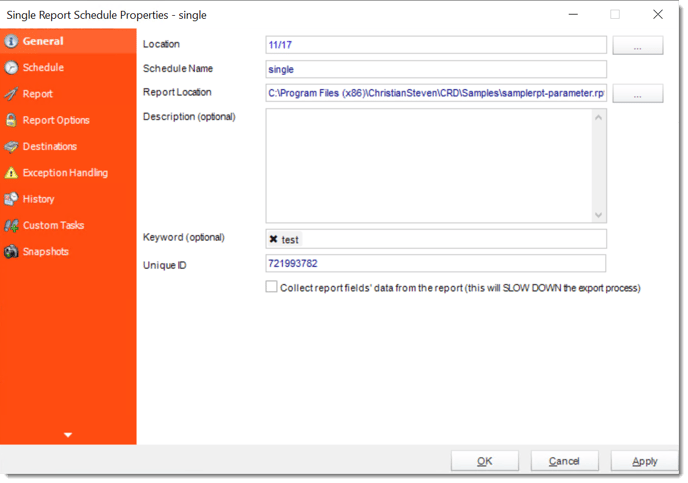
Then test unattended execution. The new host and execution account need the right access even if your own desktop can open every report. Use the Single Report guide as a starting point and select the appropriate advanced schedule type for the other jobs.

crd single general

Avoid two live senders

During parallel testing, direct the new jobs to controlled recipients. Running both schedulers against the normal audience can create duplicate statements or invoices.

  
Keep it dependable

Plan a cutover that colleagues can understand

Choose a reporting boundary for the change, such as the next full business day. Confirm which old jobs will stop and which new jobs will take over, with someone responsible for checking the first outputs.

Retain the old configuration long enough to investigate differences and follow your organization’s rollback process. A replacement is easier to support when colleagues know which system owns the next run.

Technical reference: transition records

Keep the old job identifier, new CRD schedule identifier and comparison result together. Include runtime and driver versions, service identity, time zone, report copy and destination credentials in the internal handover.

If a run is interrupted during cutover, inspect both systems’ histories and the destination before rerunning it. Do not treat uncertainty as proof that no file was delivered.

Include a busy reporting day

A quiet pilot does not represent month-end. Test the packages and reporting windows that place the greatest practical demand on the new routine.

  
Your next step

Change the scheduler without surprising the recipients

The sales team should still find its morning report, and the warehouse should still receive the documents it needs. That is the measure of a useful transition.

Compare Crystal Reports scheduling alternatives using your recorded workload, then move the remaining jobs in manageable groups.

Contributors:

Christian Ofori-Boateng

Christian Ofori-Boateng

CEO, ChristianSteven Software