

LEARN CRYSTAL REPORTS

How to Stop Empty Crystal Reports Being Sent to Recipients

Stop empty Crystal Reports reaching recipients by defining what “no data” means and configuring a separate response for that result.

CRD can check for blank reports and suppress delivery. Keep that outcome separate from a failed query or incorrect selection, so a quiet inbox does not conceal a reporting problem.

  
Your reporting task

Keep a quiet day from looking like a broken report

Imagine a credit controller receiving a daily overdue-accounts PDF. On some days there is nothing new to chase, but the email still arrives with an empty page. After several such messages, she begins ignoring the report.

Suppressing genuinely empty output can make the useful messages easier to notice. First decide what the absence of a report should mean: no overdue accounts, a notification that the check completed, or an issue that needs investigation.

Use a known no-data day and a day with one overdue account. Those two cases will help establish whether the workflow distinguishes an ordinary quiet day from missing results.

Keep the business definition explicit

An empty page is not always a no-data result. A selection error or failed source update can remove the rows the recipient expected.

  
Your options

Choose where the no-data decision belongs

A report-selection formula or source query can identify the relevant records. A script or a native scheduling workflow may then apply delivery rules where the deployment supports them. Verify the rule rather than assuming every empty-looking export will be suppressed.

CRD’s Single Report workflow documents blank detection using its Native method or a SQL Query. With the query method, no returned results indicate a blank report. The query therefore needs to represent the same business requirement as the report.

CRD also documents ignoring the report and using a blank-result action such as a notification. That lets the credit controller avoid an empty attachment while the reporting owner still knows what happened.

The blank-report handling documentation explains the available methods and actions.

Match the query to the report

A query checking all overdue accounts is not equivalent to a report restricted to one branch and reporting period.

  
Put it into practice

Configure the overdue-accounts response

Set the report parameters for the intended branch and day. In the blank-report controls, choose the method that correctly recognizes a genuine no-data result for this report.

Configure whether to suppress the report and what notification, if any, should replace it. Review the option concerning subsequent tasks as well: suppressing a blank report may affect work that follows it.

Run the known empty case, then the case containing one overdue account. The first should follow the agreed quiet-day response; the second should deliver a usable report. Finally, test a controlled execution failure so you can confirm it does not silently become “nothing to chase.”
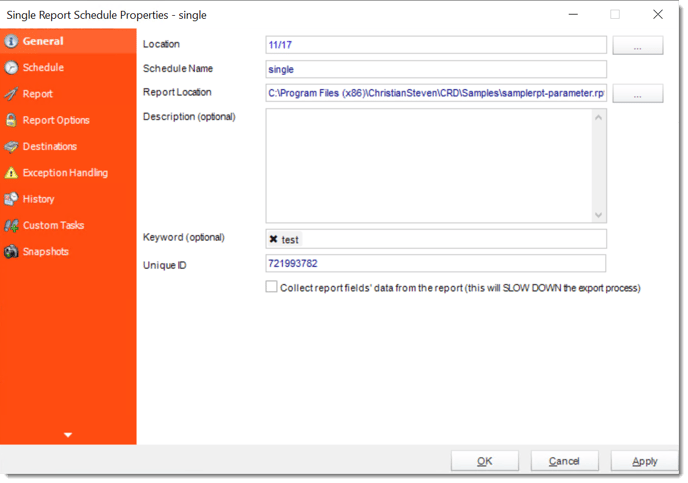

crd single general

Give the recipient a clear expectation

If no email means no overdue accounts, tell the credit controller how an actual reporting failure will be reported.

  
Keep it dependable

Keep no-data handling useful after changes

When the selection formula or source query changes, repeat the two business cases. An old blank-detection query can drift away from the report it is meant to describe.

If another application triggers the schedule, retain its request and execution references even when no attachment is sent. Suppression is a delivery decision, not the absence of a reporting run.

Technical reference: blank actions and dependencies

Review the blank-report options for the schedule type and installed CRD build. The documented ignore option can suppress the report and subsequent custom tasks; configure blank-specific actions deliberately.

A failed database connection, invalid parameter or incomplete source update must retain its own error response. Do not use blank suppression as a substitute for resolving those failures.

Avoid a hidden dependency

If a later task updates a status or moves a file, verify what happens to it in the blank case before enabling the schedule.

  
Your next step

Make the useful reports stand out again

The credit controller should receive the overdue-accounts report when there is something to act on, with a separate response when the reporting process needs attention.

Explore CRD email reporting using those empty, populated and failed cases as your evaluation.

Contributors:

Christian Ofori-Boateng

Christian Ofori-Boateng

CEO, ChristianSteven Software