

Can One Tableau Reporting Job Deliver Different Formats to Different Destinations?
The same weekly figures need three handoffs: a management PDF, finance’s workbook and a CSV for another system. Someone repeats the export and delivery for each reader.
Advanced Tableau Report Scheduler (ATRS) can keep those Tableau Cloud outputs and their destinations in one maintained reporting job.
- THE PROBLEM AND ANSWER Give each reader the useful version of the figures
- YOUR OPTIONS Choose the files around the work they support
- SET IT UP Prepare the weekly outputs together
- FOR DEVELOPERS Let your operations application request the reporting job
- YOUR NEXT STEP Start the week with each handoff ready
Give each reader the useful version of the figures
Imagine the operations analyst finishing the weekly service report. Managers want a PDF to read before the meeting. Finance needs the rows in Excel, while the service system expects a CSV in its import folder.
All three requests begin with the same reporting requirement, but their deliverables are different. Repeating the exports by hand leaves more opportunities for a period or filename to be changed in only one place.
ATRS can maintain the report inputs and several destinations, with the output format selected for each. The weekly job can serve the meeting, reconciliation and system handoff without leaving the analyst to rebuild every delivery.

Conceptual illustration: Report files routed to the people and locations that use them.
Ask what happens next
Reading, reconciliation and import need different files even when they begin with the same figures.
Choose the files around the work they support
Keep the simple route when one Tableau image or PDF subscription serves the whole audience. It is useful precisely because there is little else to prepare.
The balance changes when the recipients work differently. Finance’s workbook may need a template, tab name, totals and column formats before it is useful. The system’s CSV may need a particular separator and stable filename. Managers need a readable document with the week clearly identified.
Give each destination one of those jobs. An archive copy can preserve the period’s reports, while a working folder supplies the current import. When several source reports belong together, use a package rather than stretch one report into an unrelated set of requirements.
Per-destination formats and preparation
ATRS destination settings allow several configured destinations. The output-format guide selects the format within each destination. Configure and test the formats required by that schedule type.
Excel Data Only provides template placement, selected totals, styles and column formats beyond a basic workbook export. CSV is a text handoff and cannot retain workbook tabs or styles. Standard PDF is the reading copy; ATRS does not provide PDF Data Only.
The outputs still need consistent source inputs and data readiness. Do not assume that one job provides a transactional snapshot across independently changing data. ATRS connects to Tableau Cloud only.
Give the archive a purpose
A retained period copy and a current import file need different naming and replacement rules.
Prepare the weekly outputs together
Start with one completed service week and test destinations for all three readers. Select the Tableau Cloud report in ATRS and supply the period that each file must represent.
Add the manager’s Email destination with PDF output. Add the finance destination and choose the Excel output and preparation it needs, then configure the CSV destination around the service system’s accepted sample.
Run the job and open each received file with its owner. Compare a familiar service record and the agreed total, then let finance use the workbook and the system owner import the CSV. Matching filenames alone cannot show whether each handoff works.
Try one destination being unavailable and discuss the recovery. The PDF might have arrived even if the folder transfer failed. Once the team understands those outcomes, enable the recurring job with a clear owner for exceptions.
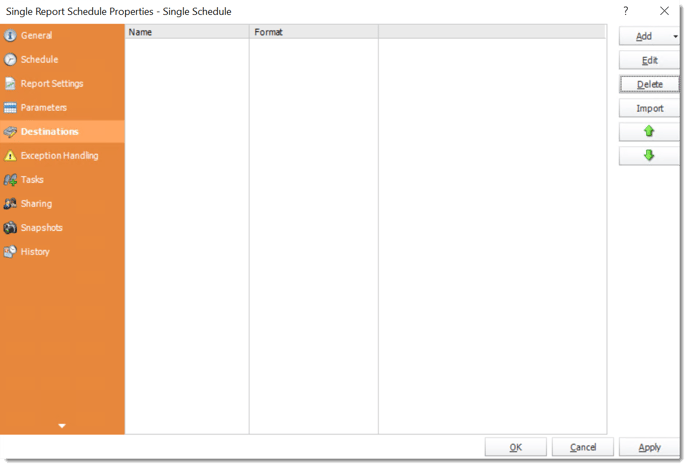
The Destinations step keeps the reporting job’s delivery locations together. Configure each output for the reader or system using it.
Destination outcomes and recovery
History View helps you inspect reports and destinations within a run. Review partial success before repeating the entire job, which could resend a file that already arrived.
Use supported password, ZIP or PGP options where the recipient process requires them. Keep an import’s unpacking requirements explicit. For related report members, packages add multiple attachments or merged PDF/Excel outputs.

Try every received output
Let each owner use their actual PDF, workbook or CSV before enabling the wider routine.
Let your operations application request the reporting job
Your operations application may request another weekly handoff after a correction. It can run the saved ATRS job with its maintained outputs and destinations.
The application needs to follow all expected outcomes before saying the reporting work is complete.
API example: request the saved multi-destination report
Replace 101 with the tested single-report schedule ID and use your ATRS HTTPS address. Keep its report period, output formats and destinations in the saved configuration.
POST /api/Schedule/ExecuteScheduleAsync
Authorization: Bearer <ATRS-access-token>
Content-Type: application/json
{
"ScheduleType": "report",
"UniqueId": 101,
"RunBy": "Weekly service reporting"
}
GET /api/Schedule/GetExecutionStatus?ExecutionId=<returned-id>
Authorization: Bearer <ATRS-access-token>Execution uses all configured destinations. It does not limit the request to a single failed destination; inspect what already succeeded before deciding how to recover.
Follow the ATRS execution guide. Keep the token on an authorized backend. Monitor within a defined deadline and decode ResultJson; Completed can contain Result=false. Check the expected files and destinations before reporting delivery. Reconcile an uncertain execution before submitting another copy.
Recover the failed handoff
Keep the execution reference so operations can inspect which destinations already succeeded.
Start the week with each handoff ready
The managers can read the service review, finance can reconcile its workbook and the system can consume its CSV. The analyst can use the morning to discuss an unusual service result rather than repeat the same exports.
Bring the three files people currently prepare from one report. They give you a practical starting point for a maintained ATRS delivery.
Contributors:
Christian Ofori-Boateng
CEO, ChristianSteven Software

