

LEARN CRYSTAL REPORTS

How to Combine Multiple Crystal Reports into One PDF or Reporting Pack

You can combine several Crystal Reports into one reporting pack, with separate attachments or a merged PDF or Excel workbook where supported.

CRD Package schedules keep the component reports and delivery instructions together, so preparing the pack does not depend on someone assembling it by hand.

  
Your reporting task

Build the pack around the reader’s meeting

Imagine preparing a monthly management pack containing sales, margins and outstanding orders. Each report runs correctly, but someone must export three files, check the dates and put them in the right order before sending them.

The managing director wants one PDF to read through. Finance may prefer separate files or worksheets for closer analysis. Decide what the finished pack should look like before choosing the merge option.

Give the pack one reporting period. Three individually correct reports covering different months can still tell a misleading story when placed together.

Write down the contents

List the expected reports in reading order. Use that list to inspect the completed pack, rather than relying on its filename.

  
Your options

Choose attachments or a merged document

Separate attachments preserve each report as its own file. A merged PDF is useful when the reader wants one ordered document. A merged workbook suits a different task: moving between report outputs in Excel.

BusinessObjects publications can merge multiple Crystal Reports into a PDF in applicable deployments. Check the native publishing setup you already have before introducing another tool.

CRD’s Package schedule supports a single email containing multiple report attachments, ZIP output and merge options for PDF, Excel and text. The PDF order follows the reports’ displayed order in the package; Excel outputs merge into an XLSX workbook.

The Package Reports guide explains the supported assembly choices.

Keep the formats purposeful

A mixed PDF and spreadsheet pack may be better as attachments. Choosing one file should not make the recipient’s actual work harder.

  
Put it into practice

Assemble the monthly pack in CRD

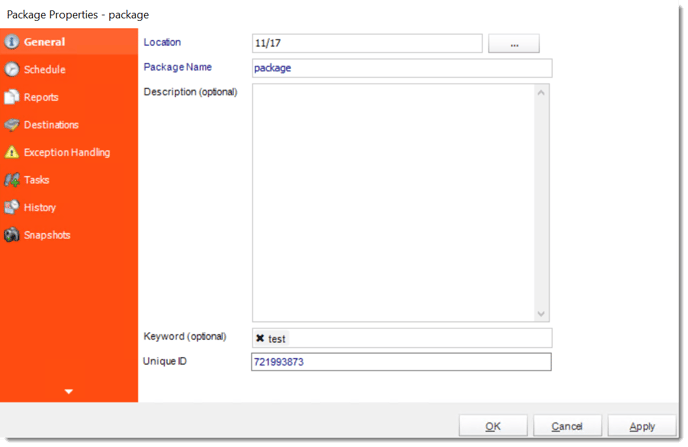
Create a Package schedule and give it a clear name and recurrence. Add the sales, margin and outstanding-order reports, then configure each report’s parameters and database access for the same month.

For the director’s document, choose PDF outputs and enable Merge all PDF Files. Put the reports in the required reading order and choose a filename that identifies the month. Configure the destination that should receive the finished pack.

Run it to a controlled destination. Open the combined PDF, move through all three reports and check where one ends and the next begins. Compare the dates and a known value in each component. A successful merge does not establish that every report selected the intended data.

crd package general

Decide what an incomplete pack means

Agree whether one failed report should hold the pack or lead to a clearly identified exception. Verify the configured behavior with a controlled failure.

  
Keep it dependable

Keep assembly and recovery understandable

If one report takes longer than the others, measure the complete pack rather than promising that parallel exports will reduce the time in direct proportion. The database and host resources are shared.

Keep the pack’s period and execution reference together. If finance asks for the original document later, determine whether you need the retained output or a newly generated report using data that may have changed.

Technical reference: merging and component failures

PDF, Excel and text merge options are separate settings. Do not infer that another output format has the same behavior. Validate workbook tabs and formatting after an Excel merge.

CRD documents snapshots for retaining generated reports. Set an appropriate retention period and access controls. Test missing components and delivery failures; do not promise transactional or all-or-nothing delivery without verifying the specific configuration.

Make a rerun a deliberate choice

Before resending, check whether the director already received the first pack and whether regenerated figures would differ from that original.

  
Your next step

Send one coherent management update

The director should receive a pack that follows the discussion, while finance can still choose a format suited to analysis. The recurring job then preserves that agreed structure.

Use Crystal Reports package automation to plan the reports and finished files for your own pack.

Contributors:

Christian Ofori-Boateng

Christian Ofori-Boateng

CEO, ChristianSteven Software