

{{ js_integration_head_start() }} {{ head_elements() }} {{ head_css() }} {{ head_js() }} {{ js_integration_head() }} {% if "CRD assembles several Crystal reports into one ordered PDF report pack for delivery." != "" %}{% endif %} {% if "CRD assembles several Crystal reports into one ordered PDF report pack for delivery." != "" %}{% endif %} {{ include_default_custom_css(content.include_default_custom_css, template_meta.include_default_custom_css, domain_settings.include_default_custom_css) }} {{ include_attached_css(content_group.attached_stylesheets or domain_settings.attached_stylesheets, content.enable_domain_stylesheets, template_meta.enable_domain_stylesheets, theme_meta.enable_domain_stylesheets, domain_settings.enable_domain_stylesheets) }} {{ include_attached_css(template_meta.attached_stylesheets, content.enable_layout_stylesheets) }} {{ include_attached_css(content.attached_stylesheets) }} {{ require_attached_js(template_meta.attached_js) }}

Crystal Reports Packages

Deliver the Complete Reporting Pack.

CRD Crystal Reports Scheduler

Assemble the reports your recipients need into one delivery with CRD. Send attachments together, merge reports into an ordered PDF or assemble a workbook from report outputs. All CRD functionality is included in your licence, with no paid feature add-ons.

Send several report attachments in one email.

Combine report outputs into an ordered PDF.

Use package settings to assemble an Excel workbook.

Create a different pack for each recipient from database records.
Download the CRD Internal Evaluation Guide START FREE TRIAL
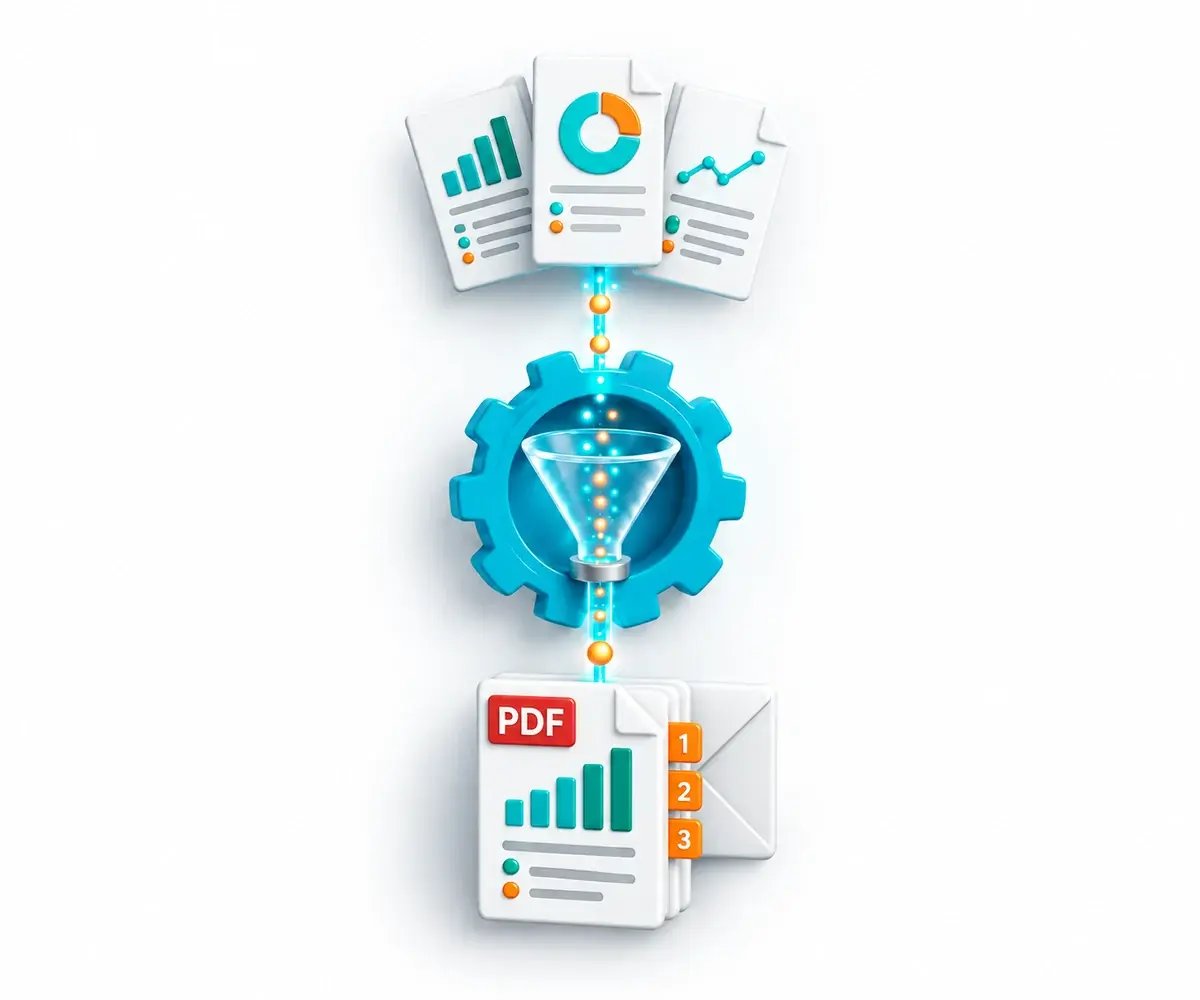
Several Crystal reports pass through CRD automation into one ordered PDF report pack.

The Reporting Pack Challenge

One Recipient. Several Reports to Assemble.

The recipient needs a complete pack, not a series of disconnected exports. CRD makes report selection, preparation and delivery part of the reporting job.

The Set Must Be Complete

Missing one required report can make the whole pack unusable.

Order Changes the Result

Recipients need reports and merged pages in the intended sequence.

Each Pack May Be Different

Customer-specific parameters and delivery instructions can change from one pack to the next.

Why Choose CRD

SAP Publications or CRD Package Workflows

Choose CRD to define and maintain the report set, recipient instructions and preparation steps around the pack you need.

SAP Crystal Server

Multi-Report Publications

CS-licensed SAP Crystal Server Publications can deliver several documents, merge PDFs and create ZIP output.

Merged-PDF protection and page numbering are available in the publishing workflow.

CRD

The Pack and Its Surrounding Work

Report order: select the reports and sequence the recipient needs.

Per-report choices: maintain the required parameters and applicable output formats.

Assembly: choose attachments, a merged PDF, a combined workbook or ZIP output.

Recipient-specific packs: let database records supply the reporting and delivery instructions.

Exception handling: decide what should happen when a required report is blank or fails.

Standard, Dynamic and Data-Driven Packages are included in the CRD licence at no additional feature cost.

A Month-End Pack in the Right Order

For example, a finance team needs sales, margin and overdue-order reports as one management pack. CRD can run the reports and prepare the selected deliverable for the same reporting period.

01

Select

Include the required reports and their parameters.

02

Sequence

Define the order in which the outputs belong.

03

Assemble

Prepare one ordered PDF or the required set of attachments.

04

Deliver

Send the complete result and check the configured response to a missing component.

Choose How the Pack Is Produced

Package schedules cover different starting points. All CRD package functionality is included in the licence at no additional feature cost.

✓

A Standard Reporting Pack

Run a maintained set of reports with the parameters and output choices the recurring pack requires.

✓

A Pack for Each Parameter Value

Use a Dynamic Package when the reports share the required key parameter and the pack repeats for its values.

✓

A Pack for Each Recipient Record

Use a Data-Driven Package when records supply the parameters, messages and destinations for each recipient’s pack.

START FREE TRIALBOOK A DEMO
Three report outputs form one ordered PDF pack delivered together.

Deliver the Pack in the Form People Need

Several attachments, one PDF and an Excel workbook are different deliverables. Choose the intended result before configuring the merge.

01

Several Attachments, One Email

Keep related reports together in a single message when readers need separate files.

02

One Ordered PDF

Combine the required report outputs into a PDF with the intended order, bookmarks and applicable protection.

03

One Combined Workbook

Use supported Excel output and merge settings to assemble report outputs into one workbook. Verify the actual sheets and order.

04

A Protected ZIP Archive

Collect the files into an encrypted, password-protected ZIP when the recipient needs an archive.

Inspect a Complete Pack During the Trial

Use the free 30-day trial with representative reports and the finished pack your team requires. Check completeness, order, file names, recipient scope and service access to report paths. Include a blank or failed component.

✓ Complete report set ✓ Correct order ✓ Recipient scope ✓ Exception handling

Built by ChristianSteven Software

Reporting automation experience from organizations around the world.

20+
Years of reporting automation experience
Nearly 5,000
Organizations helped worldwide
47
Countries with customer organizations
SOC 2 Type II
Independent assurance over security and operational controls
Visit Our Trust Center →
Before You Start

Your Report Package Questions, Answered

Practical questions about assembling, personalizing and delivering complete report packs.

Can several reports be attached to one email?

Yes. A package can prepare several report outputs for one email delivery. Check the chosen formats, parameters and final attachments during evaluation.

Can reports be merged into one PDF or workbook?

Yes, using applicable package and merge settings. PDF and Excel assembly have format-specific behavior, so inspect the finished file rather than assuming every export mode merges identically.

What does a Dynamic Package require?

Its reports must share the required key parameter. A Dynamic Package repeats the pack for that parameter’s values; a Data-Driven Package uses record-controlled instructions.

Can each customer receive a different pack?

Yes. Data-Driven Packages can use database records to supply report parameters, messages and destinations. This functionality is included in your CRD licence at no additional feature cost.

Can grouped package emails embed the reports?

Grouping Data-Driven output by email address disables embedding. Use attachments or applicable merged files for that grouped pack.

What happens if one report is blank or fails?

Configure the applicable blank-report, retry, timeout and before/after task behavior for the workflow, including report-level and package-level steps. Test a missing or failed component and verify the resulting pack and operator response.

Can a pack include existing files or merged text outputs?

Configured merge tasks can combine existing files, and package output includes applicable text-merging options. Supply the intended file list and order for each pack, then test the selected formats and inputs.

Can I retain a snapshot of the report pack?

CRD includes snapshot options for retaining report output. Configure the snapshot location and retention that the reporting process requires, then check that the saved pack matches the delivered result.

Ready to Automate Report Assembly?

Show Us the Complete Pack You Need

Bring your reports, their required order and a sample finished pack. See how CRD can prepare and deliver that result.

START FREE TRIAL BOOK A DEMO
✓ Free 30-day trial✓ Installed in your Windows environment✓ Evaluate your own report and destination