

LEARN CRYSTAL REPORTS

How to Let Customers Request and Schedule Crystal Reports from Your Portal

Let customers request Crystal Reports through your portal by giving them approved reporting choices and keeping authorization on your application’s server.

The CRD API can support the reporting jobs behind that portal. CRD does not supply the customer portal itself or decide which customer may access each report.

  
Your reporting task

Give customers a useful request rather than a support email

Imagine a customer signing into your portal to request last month’s service statement. Today they send an email and wait for someone to run Crystal Reports. A portal form could capture the period and preferred delivery without that manual exchange.

Start with the choices the customer is entitled to make. They may select a month and request their own statement, but should not be able to enter another customer’s identifier or an arbitrary report path.

Keep a one-off request distinct from a recurring subscription. The portal should make clear whether it is requesting this statement now or changing future delivery instructions.

Use the signed-in customer

Derive the customer assignment from your trusted application records. Do not trust a hidden browser field as proof of the tenant or account.

  
Your options

Choose the reporting service behind the portal

A direct SDK approach can render reports within an application’s supported deployment. A server reporting API can use an existing SAP environment. Either route still needs portal authorization, request tracking and a deliberate delivery design.

With CRD, the portal can work with prepared schedules and supported configuration operations through the API. That separates customer-facing choices from the team’s management of the report and its destinations.

The portal remains your application. It must translate allowed choices into a valid reporting request and explain the result to the customer without exposing API secrets or another customer’s output.

CRD API setup and authentication guidance describes the service side of that integration.

Keep the promise specific

A request accepted by the service is not the same as a statement available for download. Tell the customer which delivery route the portal actually provides.

  
Put it into practice

Build one controlled statement request

Begin with a prepared customer-statement job that runs successfully in CRD. Map the portal’s approved customer and period to a supported schedule configuration, then request execution using the current documented operation.

Retain the portal request identifier and returned execution reference together. That allows the portal to show a meaningful pending or completed result rather than asking the customer to click again whenever the browser waits too long.

For recurring scheduling, show the saved period rule, cadence and approved destination back to the customer. Read the saved definition after the change and confirm that the portal’s description matches what CRD will execute.
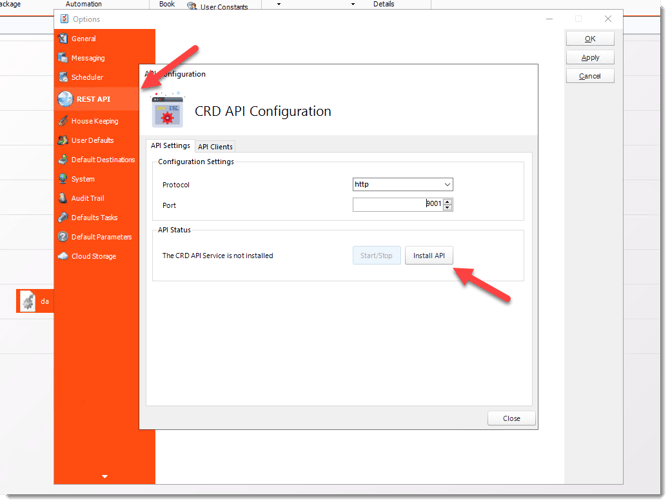

CRD configuration for customer portal scheduling for crystal reports

Plan ownership before shared jobs

Changing one shared schedule for several customers can create a race. Decide how your application isolates configuration and execution for concurrent requests.

  
Keep it dependable

Make changes and retries safe for the customer

A customer changing their delivery address should change the intended assignment, not create another recurring statement accidentally. Compare the desired settings with the existing job and verify the saved result.

Keep changes to future schedules separate from output already generated or delivered. Removing an address cannot recall a statement that has already reached a mailbox.

Developer reference: portal responsibilities

Authorize every report selection, schedule change and execution on your server. Maintain the mapping between the customer, permitted report and owned schedule. Use only documented CRD configuration and execution contracts.

For asynchronous runs, store ExecutionId and monitor the specific execution. When a request outcome is uncertain, reconcile the saved state, execution and destination before creating or running another job. Do not expose client secrets, arbitrary host addresses or unrestricted schedule identifiers to browser users.

Test a second customer

Check that one customer cannot view or alter the other customer’s request, schedule or delivered statement. Separate email addresses alone do not establish isolation.

  
Your next step

Let the customer finish the request with confidence

The customer should know what statement they requested, when it covers and how they will receive it. Your reporting team should be able to trace that request without rebuilding the process from an email chain.

Explore customer portal scheduling with CRD around one authorized reporting journey.

Contributors:

Christian Ofori-Boateng

Christian Ofori-Boateng

CEO, ChristianSteven Software