

LEARN CRYSTAL REPORTS

How to Prepare Crystal Reports CSV Files for Banks and Business Systems

Prepare a Crystal Reports CSV export against the receiving system’s file specification: columns, separators, dates, identifiers and naming all matter.

CRD can schedule and customize CSV output, but the bank or business system must still accept the resulting file. A successful export alone is not that acceptance test.

  
Your reporting task

Start with the file the bank expects

Imagine finance preparing a daily cheque file for a bank’s Positive Pay process. The report contains the right amounts, but the upload rejects it because a date is formatted differently or a cheque number has lost its leading zeros.

Ask for the bank’s current file specification and a sample it accepts. Record the required column order, headers, separator, text qualifier, date pattern, decimal representation and filename. These are part of the business interface, not cosmetic spreadsheet preferences.

Keep a small, approved test dataset with a leading-zero identifier, an unusual name and a known total. It will help you discover differences before they affect a full daily upload.

Inspect the text itself

Opening a CSV in Excel can change how values appear. Check the raw file as well as the receiving system’s interpretation.

  
Your options

Choose report export or a query-based file

Crystal Reports CSV export is appropriate when the report’s selection and output structure match the required data. Its formatting options need attention because page-oriented report sections are not always suitable as machine-readable rows.

A query-based export may be a better fit when the file is simply a defined set of database columns. A CRD database Custom Task can export a query result directly. An RPT export instead uses the report’s selection and structure.

CRD documents CSV separator and delimiter options, legacy and standard export modes, output naming and a custom extension. Those choices help meet a file contract, but they do not establish certification for a particular bank.

The CRD CSV guide explains the export controls.

Do not fix a file by renaming it

Changing CSV to TXT changes the extension. It does not change the contents into the receiving system’s required layout.

  
Put it into practice

Prepare and validate the daily export

Configure the report’s selection for the intended payment batch or day, then choose CSV in the destination. Set the separator, delimiter and formatting to match the agreed specification. Remove unwanted headings or report sections through the appropriate export or report-design choices.

Give the file the expected name and deliver it to a controlled folder first. Compare its record count, identifiers, dates and total with the approved batch. Include a value containing the chosen separator so you can check quoting rather than assuming it works.

Submit the sample through the bank’s test process or the receiving application’s approved validation route. Only after that acceptance should you enable the production delivery schedule.
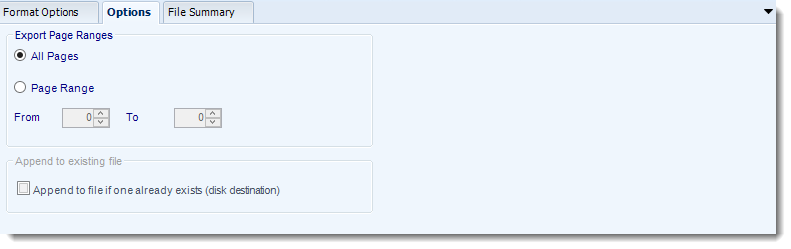

Crystal Reports: CSV output format options in CRD.

Keep rejected records visible

Agree who reviews a rejection and how it is corrected. A file placed in an upload folder may still fail business validation later.

  
Keep it dependable

Preserve the file contract as systems change

When the bank changes its specification, update the export and repeat the acceptance check. Keep the accepted sample and its version with your internal reporting notes.

If an application triggers the export, associate the payment batch with the reporting run. That makes it possible to investigate an uncertain upload without generating another indistinguishable file.

Technical reference: receiving-system requirements

Confirm encoding, line endings, field lengths and header/trailer requirements against an actual export and the receiving specification. Do not assume undocumented CRD controls exist for every requirement.

Reconcile the output with the source batch before a retry. Decide how duplicate files are identified by the receiving system; a unique filename alone does not prevent the same payments being processed twice.

Test the awkward values

Use leading zeros, punctuation and boundary dates in an approved sample. Those values often reveal problems that ordinary records do not.

  
Your next step

Make the upload an accepted handoff

Finance needs an accepted payment file, with a clear owner when it is rejected. Automating the export is useful when it preserves that whole handoff.

Explore Crystal Reports CSV automation using your bank or application’s actual file requirements.

Contributors:

Christian Ofori-Boateng

Christian Ofori-Boateng

CEO, ChristianSteven Software