

LEARN CRYSTAL REPORTS

How to Run Crystal Reports After a File Arrives or Database Conditions Change

To run a Crystal Report after data is ready, use a condition that represents the completed file or database update, rather than relying only on a clock time.

CRD event-based schedules can check file and database conditions and start the reporting work when the configured criteria are met.

  
Your reporting task

Replace the guess about when the data will arrive

Imagine an overnight order import that usually finishes before six. The report runs at six-fifteen, but a slow import occasionally means the warehouse receives incomplete figures. Moving the report later helps only until the next delay.

The useful signal is that the import finished, not that the clock passed a particular minute. Agree with the person maintaining the import what can represent that completion: a finished file, a completion record or another dependable condition.

For this example, a completion record identifies the loaded sales day. That lets the report select the same day rather than merely starting after an unrelated database change.

Make readiness meaningful

A file can exist while another process is still writing it. Use a completion marker or an agreed handoff that establishes the file is ready to read.

  
Your options

Choose a condition the reporting process can trust

An application can start a reporting script or request a prepared reporting job once its import finishes. SAP scheduling environments also provide event facilities in applicable deployments. The right route depends on which system knows that the data is complete.

CRD’s event-based schedules can monitor conditions including a database record existing or changing and a file existing or changing. Conditions can be combined using ANY or ALL. They are configured checks, not a promise of an instant database event stream.

Use the narrowest meaningful condition. Detecting any change in an orders table is less useful than identifying a completed import for the exact reporting period.

The CRD event-based guide explains the supported condition types.

Keep business alerts distinct

A data-ready signal means the report can run. A threshold alert means a business exception needs attention. Those conditions may use similar machinery but answer different questions.

  
Put it into practice

Connect the completion signal to the report

Prepare and test the Crystal Report with the required period and destination first. Then configure the event-based schedule to run that reporting work when the completion condition is satisfied.

For a database condition, use the configured ODBC connection and a query that returns the intended completion record. CRD documents identifying a unique record key and choosing how matching or new records are detected. Event-based Inserts can use values from the triggering data where the workflow needs them.

Test a completed import and an incomplete one. The report should run for the intended completed day, while the unfinished case should remain pending or follow your agreed exception response. Open the resulting file to confirm the late order actually appears.
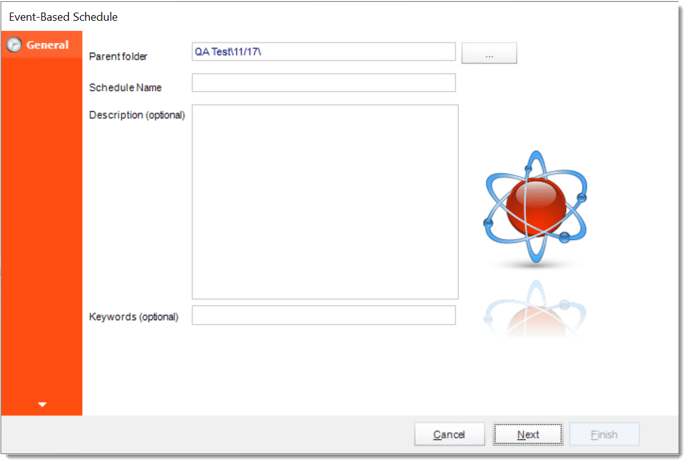

crd eb general

Plan what happens after the first match

If the same completion record matches every check, the job may keep running. Define how the condition becomes handled or ceases to match.

  
Keep it dependable

Make repeated checks safe to operate

A readiness check is part of a process involving both systems. Agree who clears or updates the marker and what happens if delivery fails after report generation.

CRD Custom Tasks can participate before or after report work. Use their ordering deliberately, especially if a task updates the source or marks a record as processed.

Technical reference: polling and processed markers

CRD documents New Records Only detection and Any Matching Records. With matching-record checks, the query and follow-up action must prevent the same item triggering repeatedly when that is not intended.

A processed marker does not by itself create exactly-once delivery. Consider failures between execution, delivery and marker update, and inspect history and destinations before recovery. Monitoring a database does not require a task to write back to it. If you use a processed marker, authorize that update explicitly.

Have an answer when readiness never comes

Give someone responsibility for a missing completion signal. Waiting indefinitely can be as disruptive to the warehouse as sending incomplete figures.

  
Your next step

Start reporting from completed data

The warehouse should receive the order report because the import is ready, with a clear response on the mornings it is not. Start with one dependable readiness signal and prove the full handoff.

Use event-triggered Crystal Reports automation to plan the conditions and reporting work together.

Contributors:

Christian Ofori-Boateng

Christian Ofori-Boateng

CEO, ChristianSteven Software