

For NHS dispensary and pharmacy operations teams
NHS Discharge Pharmacy Dashboards
See where take-home prescription work stands.

Give ward and dispensary colleagues one reporting view of take-home prescription work. Bring available prescription, verification and supply information together with IntelliFront BI, self-hosted business intelligence software for UK National Health Service (NHS) pharmacy teams. Keep the reporting on your organisation’s infrastructure.
Unlimited users. Unlimited reports, dashboards and KPIs.
- ✓See take-home prescription workload across wards.
- ✓Bring available prescription, verification and supply stages into context.
- ✓Give dispensary and ward colleagues a clearer basis for coordination.
Give discharge enquiries a useful answer
“Where has this take-home prescription reached?” Ward and dispensary colleagues need more than a workload total to answer that question. They need the recorded pharmacy stage and the prescription detail behind it.
IntelliFront BI’s discharge pharmacy dashboards bring those reporting views together in a browser. Give your team a shared starting point for discharge enquiries, with ward-level workload and the supporting records available from your pharmacy data.
Separate prescriptions awaiting review from medicines awaiting supply
A prescription awaiting verification and one awaiting supply need different follow-up. Bring the available prescription, verification and supply records into your discharge reporting so colleagues can distinguish those stages.
Start with the workload across wards, then explore the records behind a count. Your team can discuss the relevant pharmacy work with a common view of what has been recorded.
Keep the ward’s reporting ready for the next enquiry
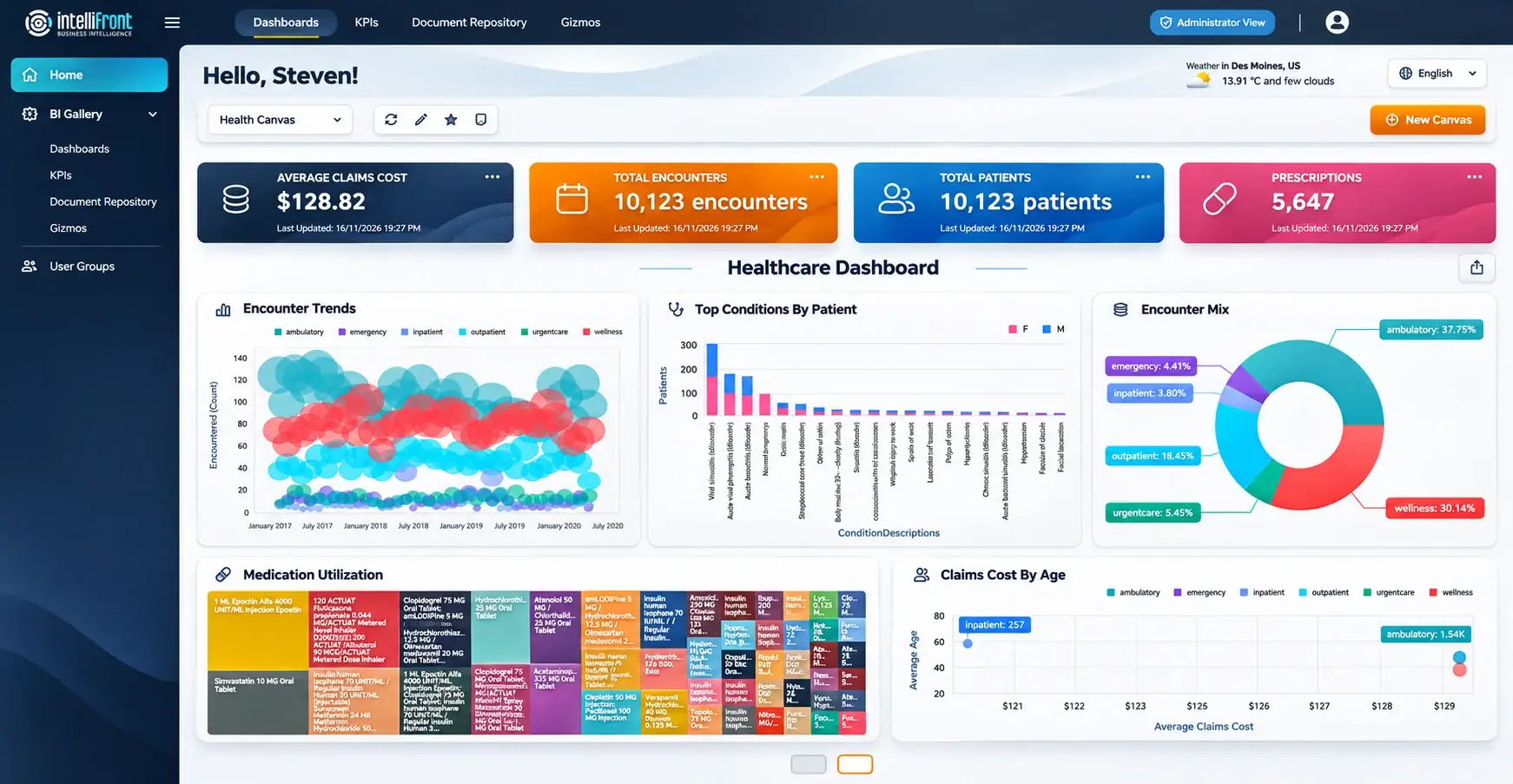
A dispensary colleague may need a view across several wards. A ward-based colleague may return to a smaller set of discharge measures. Each can keep assigned dashboards and KPIs together in a personal Canvas.
Set a discharge-focused Canvas as the home view, or keep a separate workspace for other pharmacy responsibilities. The next time a colleague asks about the work, the relevant reporting is already easy to reach.
Enhanced healthcare Canvas illustration showing the personal workspace. View the complete Canvas at full size.
Bring discharge prescription activity into the service review
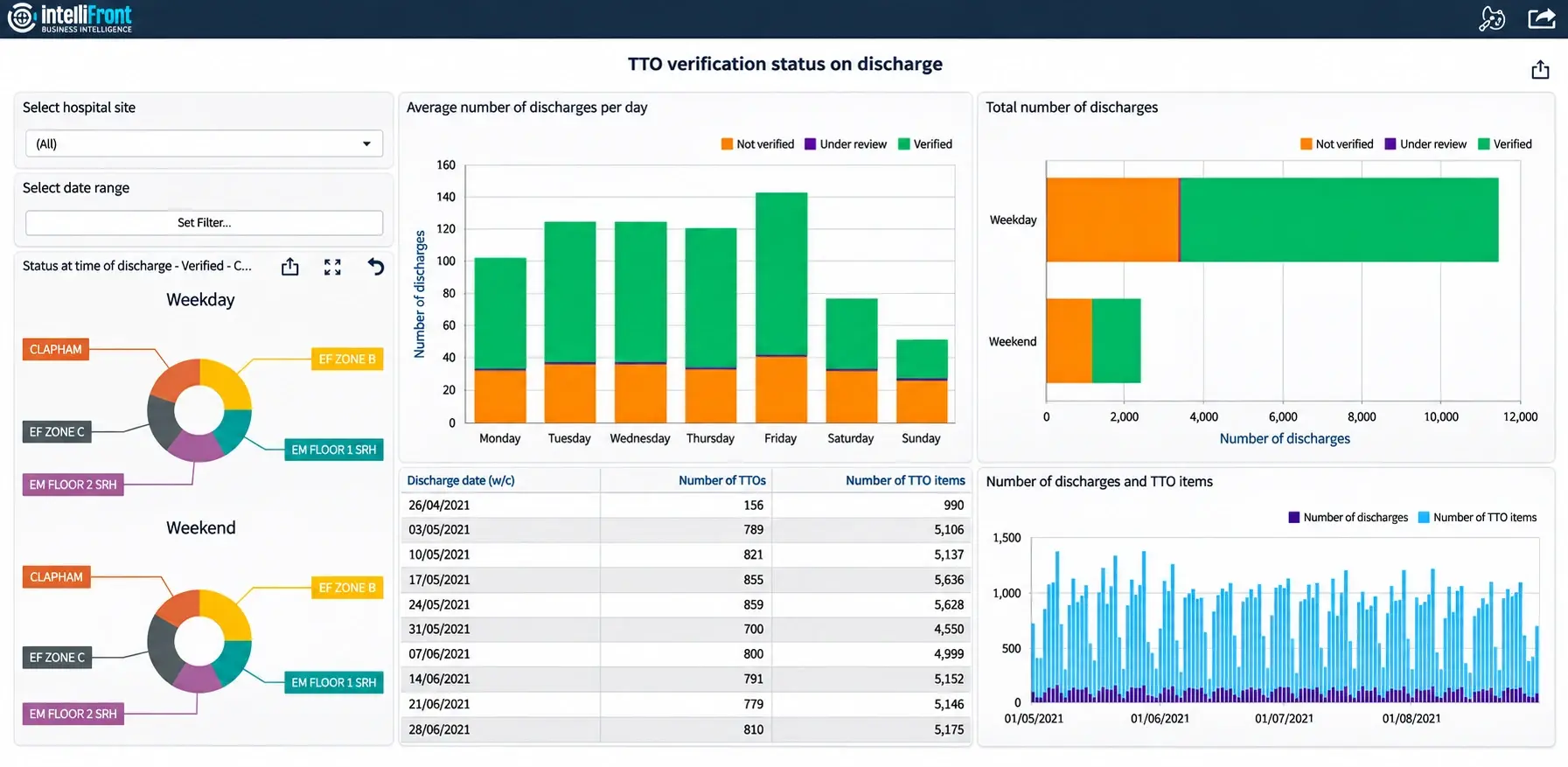
See how take-home prescription activity and recorded verification status vary across the week. Give pharmacy managers a view they can explore by site and period, with supporting counts kept in context.
The dashboard brings weekday and weekend comparisons together with discharge and prescription-item totals. Use it alongside a separate view of outstanding work, so a service review can consider completed activity as well as today’s pharmacy queue.
Take-home prescription verification by discharge status. View the full discharge dashboard.
Share the pharmacy view on your own infrastructure
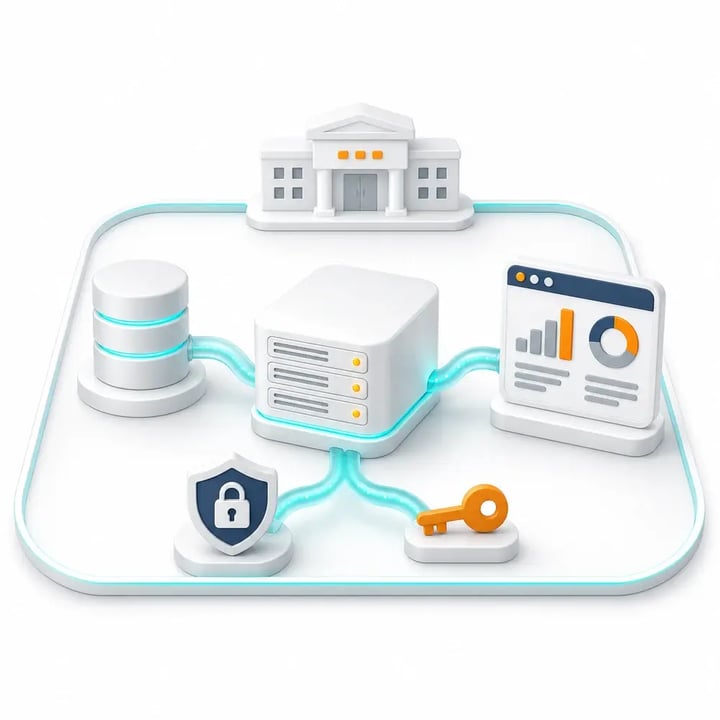
Give authorised ward and dispensary colleagues browser access to the dashboards assigned to them. IntelliFront BI runs on your infrastructure, keeping the reporting workspace under your organisation’s control.
Bring the pharmacy view into handovers alongside the other information used for discharge. Keep the agreed pharmacy stages and their supporting detail within reach when teams discuss outstanding work. Your reporting authors maintain the views while colleagues use them throughout the day.
Evaluate it against your discharge workflow
Book a demonstration focused on a take-home prescription enquiry: workload by ward, the available pharmacy stages and the detail behind each count.
We’ll discuss your source fields, local definitions and refresh needs. If waiting time matters to your team, we’ll distinguish the request, receipt, review and supply events before proposing a measure.
Serving the NHS for over 25 years
We support NHS trusts and health boards in Scotland, Wales and England. Our experience spans hospital pharmacy reporting and partnerships including System C, JAC, WellSky and CareFlow Medicines Management.
NHS user feedback has helped shape IntelliFront BI’s reader and author workflows. That practical experience informs the support we give your pharmacy and reporting teams.
Talk to a team that understands NHS pharmacy reporting.
Questions about discharge pharmacy reporting
Yes, where the relevant ward information is available. A dashboard can bring the workload together for dispensary colleagues and provide ward-level detail for the teams discussing each prescription.
Where suitable supply records are available, that stage can be included alongside prescription and verification information. We’ll confirm what the source records represent; a verification entry alone is not evidence of supply.
It can show elapsed time where suitable timestamps are available. Your team needs an agreed starting event and rules for amendments, cancellations and completed work so the measure has a clear meaning.
Pharmacy reporting can show recorded medicines-related stages. It does not establish that every clinical and operational requirement for discharge has been met.
The reporting needs suitable source information and locally agreed rules for those records. We’ll discuss how changes should affect the view so colleagues understand what is included in each count.
Yes. Authorised colleagues can access assigned dashboards through a browser. Shared reporting can use the same agreed definitions, while each person organises the dashboards and KPIs relevant to their work.
Give discharge conversations a clearer starting point

See how your team could bring take-home prescription workload and recorded stages together. Book a discharge pharmacy reporting demonstration, or start a free 30-day trial.