

Self-hosted BI software for reporting consultancies

BI Software for Your Customer Reporting Service

Your reporting expertise. A platform you can build on.

IntelliFront BI

IntelliFront BI is self-hosted business intelligence software from ChristianSteven Software. Use it to create branded customer reports, dashboards and KPIs, reuse your reporting designs, and maintain the service as your customers’ needs change.
Download the IntelliFront BI Internal Evaluation Guide START FREE TRIAL
  • Build native reports, dashboards and KPIs for your customers.
  • Adapt useful reporting designs for the next customer.
  • Deliver a branded reader experience your team maintains.
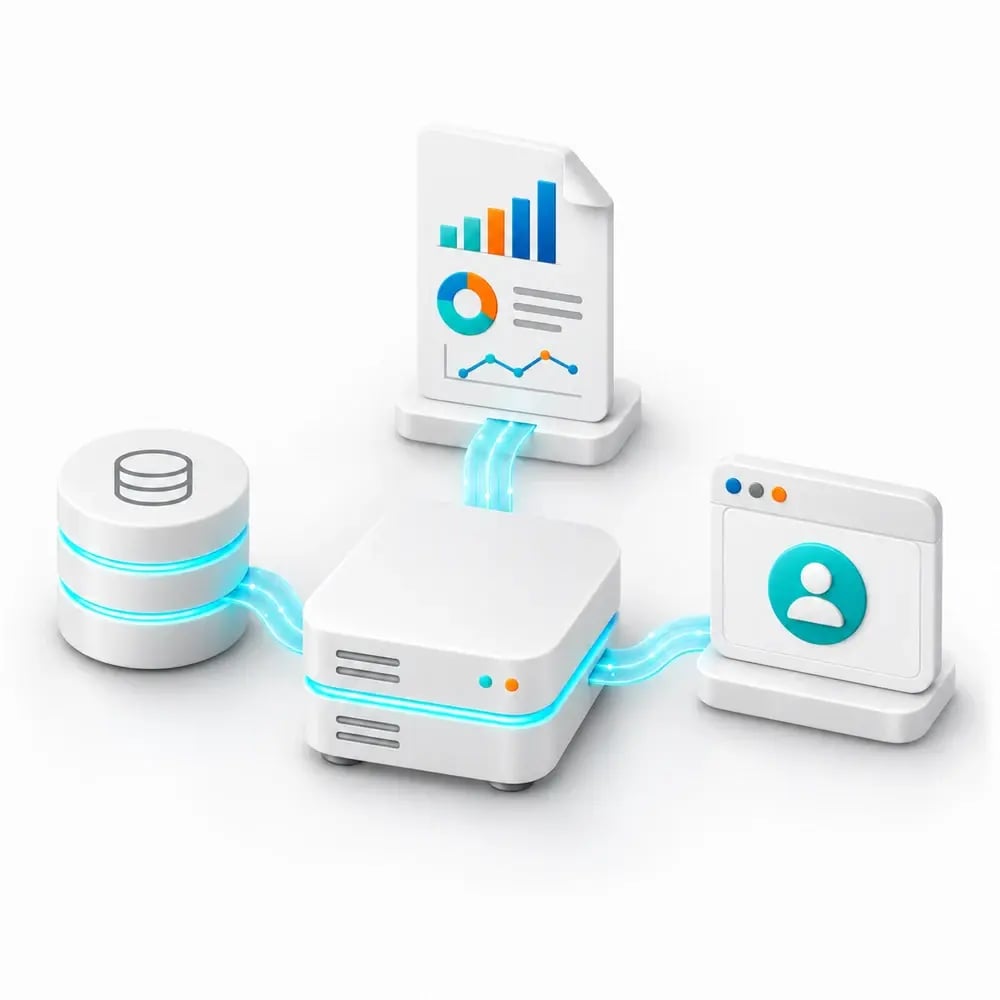
Concept illustration of a self-hosted reporting platform connecting data, reporting and browser readers

Turn your reporting expertise into an ongoing customer service

Your customers need answers from their business data. Your consultancy knows how to define the measures, build useful reporting and explain what the results mean. Rebuilding the reporting experience for every engagement takes attention away from that work.

IntelliFront BI gives you software to build on: native report and dashboard authoring, reusable KPIs, branded reporting access and personal reader workspaces. Use it as the platform behind the implementation, training and reporting support your consultancy delivers.

One package, two customer organizations

Imagine your consultancy delivering service-performance reporting to two facilities businesses. Each needs its own data, targets and reader access. Your team can carry useful calculations, presentation and guidance from the first design into the second.

Illustrative consultancy scenario.

Keep the work worth reusing

A monthly service review needs reliable measures, clear targets and detail behind the result. Build that reporting in IntelliFront BI, then reuse calculated fields, visual conventions and guidance when the next customer asks a similar question.

Your team adapts the sources, identifiers and definitions that differ. That gives each engagement a maintained starting point while keeping customer-specific requirements in view.

Give each customer a reporting home they recognize

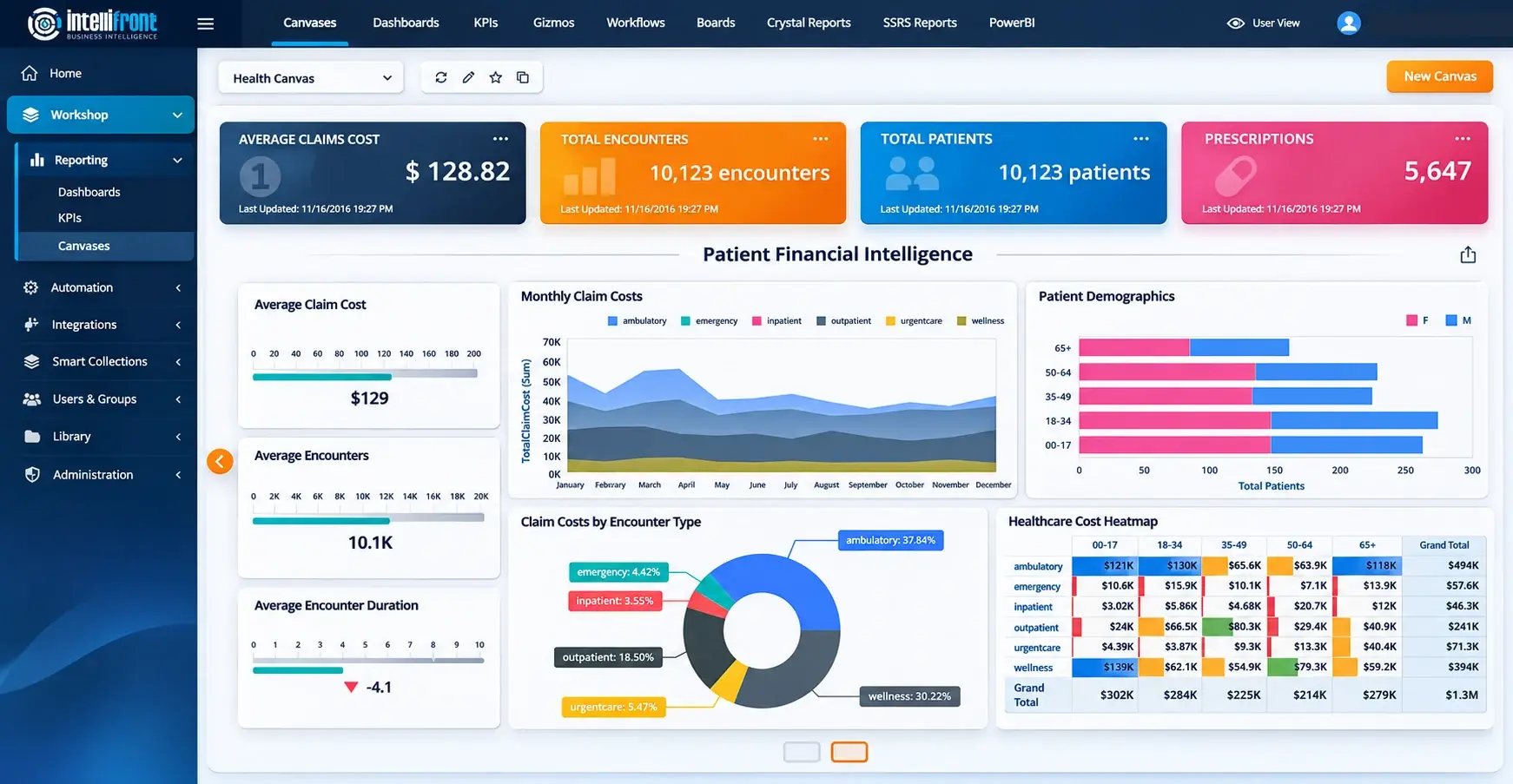
Present the service under your identity, with customer group branding that helps readers recognize their organization. A personal Canvas brings a reader’s assigned dashboards and KPIs together around their responsibilities.

A service lead can keep workload and response measures together. A finance colleague chooses a different combination. Your authors maintain the underlying reporting while readers organize their own starting view.

Enhanced healthcare financial Canvas illustration showing a personal reporting workspace.

View the complete Canvas at full size →

See the service through your customer’s eyes. Book a demo around the reader journey, or explore representative reporting in the 30-day trial.
BOOK A DEMOSTART FREE TRIAL

Take the same reporting idea to the next customer

Your first facilities customer reviews response performance by region. The second uses different region names and agreed targets. Reuse the useful dashboard definition, calculations and guidance, then map the second customer’s sources and reporting definitions.

Your team reconciles the measures against that customer’s data and checks the result with a representative reader account. Customer branding helps readers recognize the service; configured permissions and data restrictions determine what they can see.

Bring two customer requirements to a demo. Explore what you could reuse, what your team would adapt and how you would train the people using the finished reporting.

BOOK A DEMOSTART FREE TRIAL

Give customers a reason to keep working with your team

The reporting service continues after the first dashboard goes live. Your consultancy can help customers introduce new measures, train readers and keep established reporting useful as their business changes.

Dependency information helps your team assess changes to shared datasets. Cache oversight supports refresh maintenance. Usage records can guide a conversation about overlooked reporting or where more training would help.

Build your ongoing service around the work your customers need: dependable reporting, clear ownership and someone who understands the questions behind it.

Choose a deployment that fits the service you provide

IntelliFront BI runs on infrastructure operated by your team or the agreed customer operator. You decide the reporting approach with the customer and establish responsibility for hosting, data connections, access and ongoing maintenance.

Discuss your intended delivery model with ChristianSteven. We can review the customer service, deployment scope and commercial agreement together, so the software fits how your consultancy plans to operate.

Business Intelligence Backed by More Than 20 Years of Experience

ChristianSteven Software has helped nearly 5,000 organizations in 47 countries with business intelligence and reporting automation. IntelliFront BI brings that experience to your customer reporting service, with native dashboards and KPIs, personal workspaces and support for the team maintaining the service.

20+
Years of business intelligence and reporting experience
Nearly 5,000
Organizations helped worldwide
47
Countries with customer organizations
SOC 2 Type II
Independent assurance over security and operational controls
Visit Our Trust Center →
Technical Support
Support and maintenance included with your IntelliFront BI subscription
All Features
Full IntelliFront BI functionality for dashboards, KPIs, Canvases and reporting
Before you evaluate

Questions about software for your reporting consultancy

Is this software for our consultancy or a hosted reporting service?

IntelliFront BI is self-hosted business intelligence software from ChristianSteven Software. Your consultancy uses it to create and maintain customer reporting. Your team and customer agree who hosts and operates the environment.

Can we adapt reporting for a second customer?

Yes. Reuse reporting designs, calculated fields, formatting and guidance, then adapt the data connections, customer identifiers and permissions. Validate the calculations and reader access for each customer; a reusable design does not mean automatic account cloning.

What can customers choose in their Canvas?

Readers select from the dashboards and KPIs assigned to them. They can create several personal Canvases and choose a favourite home view. Your reporting authors maintain the underlying definitions and calculations.

Does customer branding control access to the data?

No. White labeling and customer group branding identify the service and audience. User and group permissions, together with the configured data restrictions, determine what each reader may access.

Can we offer implementation and ongoing reporting support?

The platform can support reporting design, customer adaptation, training and continuing maintenance. Discuss the intended customer service with ChristianSteven so the commercial agreement, hosting responsibilities and deployment scope fit your model.

What should we bring to a demonstration?

Bring one reporting package and the requirements of two representative customer organizations. We can explore what your team would reuse, what changes for each customer and how an ordinary reader would use the result.

Software for your consultancy

Build Your Next Customer Reporting Offer on IntelliFront BI

Bring a reporting package and two representative customer requirements. In a demo, explore the authoring, branded reader experience and ongoing maintenance your consultancy could deliver with IntelliFront BI.

Prefer to evaluate it with your team? Start a 30-day trial and build a representative customer reporting view.

BOOK A DEMO START FREE TRIAL