

Self-hosted Crystal Reports web portal

Give Readers Browser Access to Your Crystal Reports

Fewer repeat requests. Keep trusted reports working.

IntelliFront BI

IntelliFront BI from ChristianSteven Software gives colleagues and customers a self-hosted Crystal Reports web portal. Let readers run the reports they have access to, choose available parameters and export the results, while your team maintains the reporting behind them.
Download the IntelliFront BI Internal Evaluation Guide START FREE TRIAL
  • Keep your existing Crystal reports available through a browser.
  • Help colleagues and customers find the reports they need.
  • Give readers a personal Canvas for their dashboards and KPIs.
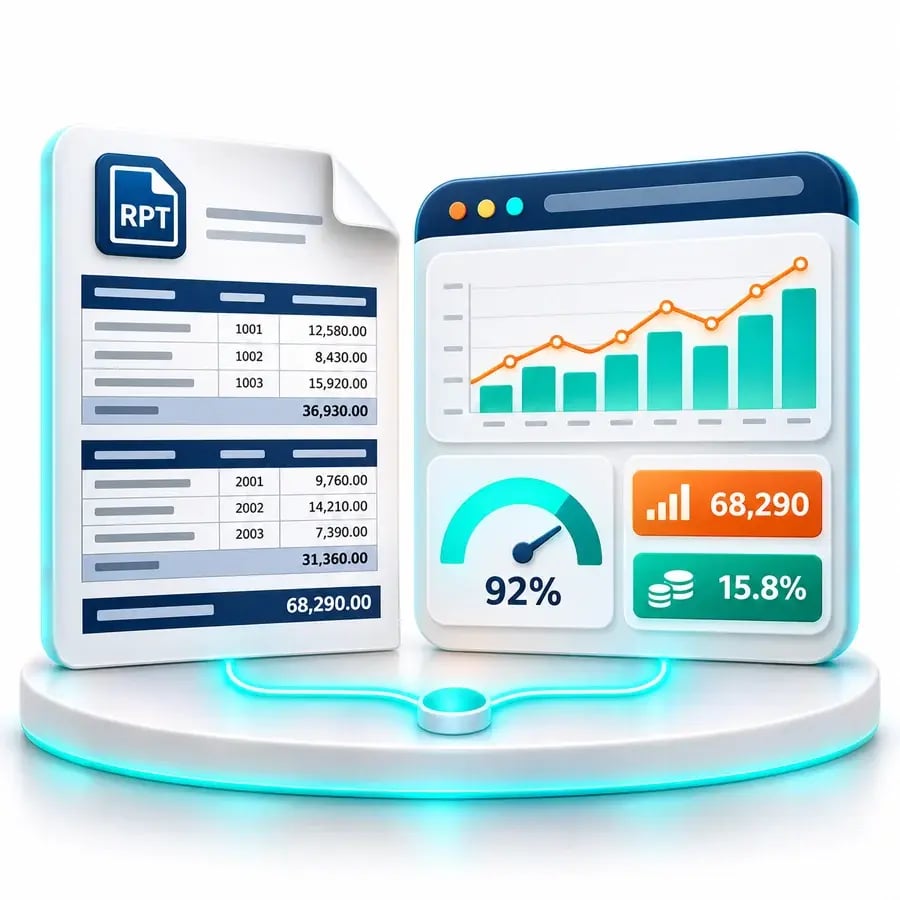
Concept illustration of a detailed Crystal report alongside a browser dashboard and KPI cards

Stop rerunning the same report for every request

The report already exists. What fills your analyst’s inbox is another request for a different month, a fresh copy or an export for a meeting.

IntelliFront BI gives readers a direct route to approved Crystal reports through a browser. Colleagues and customers can get familiar answers for themselves, leaving your reporting team more time for the questions that need their expertise.

“On the rare occasions we get stuck trying to do something, the folks at ChristianSteven have been swift (and patient) in helping us to resolve everything to our satisfaction.”
Ruth G.
On ChristianSteven Software’s support

Let readers get the answer without waiting

A monthly activity report should remain useful after the first copy has been sent. With browser access, readers can return to the published report when the next question comes up.

The period they need. Available report parameters let readers select a month, date range or other criteria your team has made available.

A result they can use. Readers can review the report online or export it in an enabled format, such as PDF or Excel, for their meeting or analysis.

Less repeat handling. The same published report can serve recurring requests while your team maintains its definition and data connection.

Keep Your Crystal Reports. Add Native Analytics Where They Help.

Publishing an existing Crystal report gives readers its familiar layout and detail. Creating a native dashboard is a separate way to explore prepared data, including suitable output from an existing report.

Your reporting team builds the dashboard views and calculations for the question at hand. You can extend the reporting experience while retaining the Crystal definitions your organization already relies on.

An Overview for the Review. Your Crystal Report for the Detail.

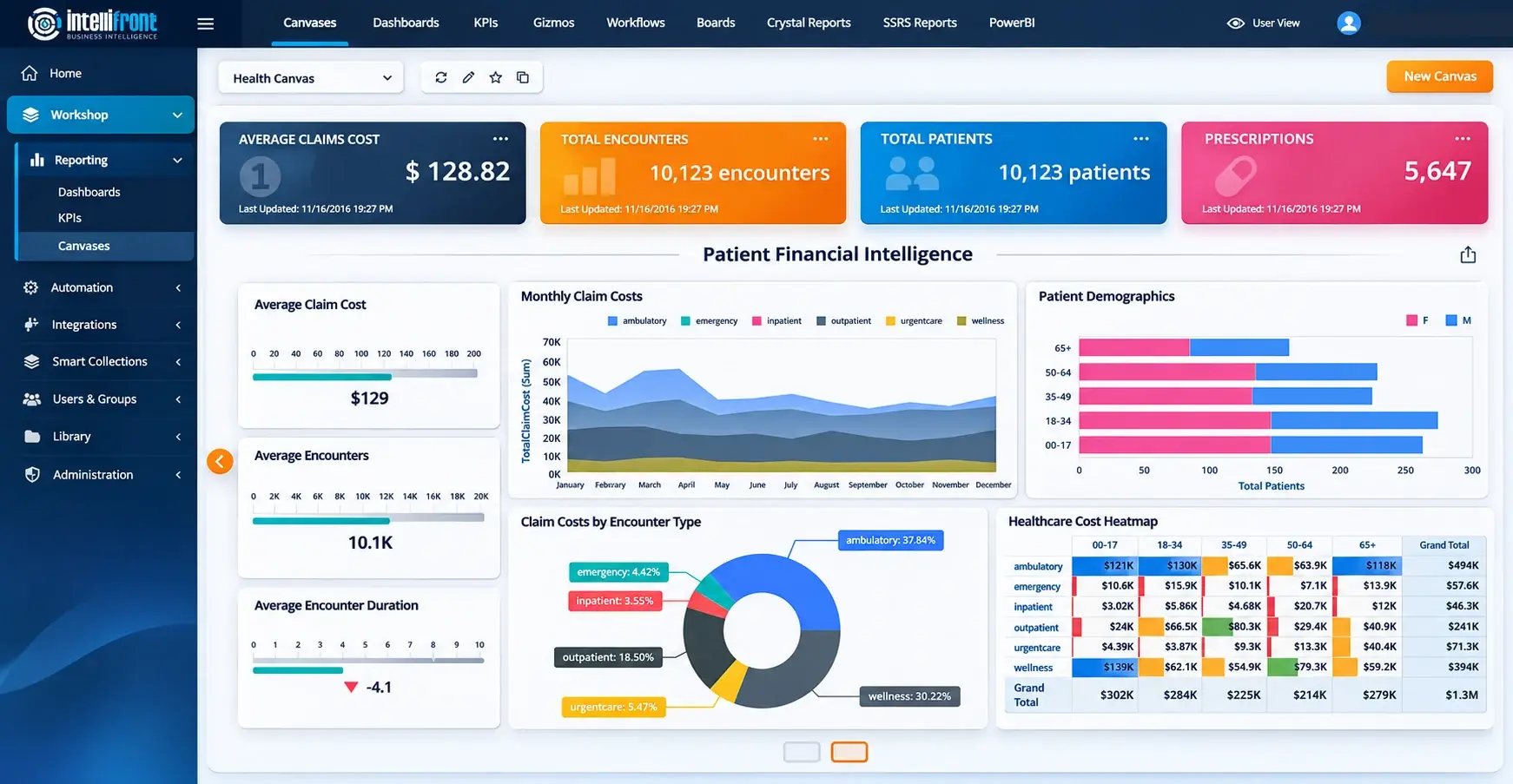
Give a service manager a Canvas with the native dashboards and KPIs they check before a meeting. When a figure needs explaining, the detailed Crystal report is available separately through the same portal.

Your team can build that overview from prepared data while continuing to publish the Crystal report in its established layout.

Enhanced Canvas illustration showing financial dashboards and KPIs. Click the image or view the full Canvas.

See the overview and the detail together. Book a demo around the reporting your readers use, or explore both in your trial.
BOOK A DEMOSTART FREE TRIAL

Make the Right Report Easier to Find

For a service manager, the monthly activity report is one part of a wider reporting library. Clear report names, descriptions and tags help distinguish it from similar reports.

Smart Collections bring related content together by subject. A service-review collection can help authorized readers find their detailed Crystal report alongside the other reporting available for that review.

Give your established reports a useful home. See how your team could organize a familiar set of reports in IntelliFront BI.

BOOK A DEMOSTART FREE TRIAL
Concept illustration of related reports organized together in a reporting portal

Browser access for readers. Control for your team.

Your organization hosts IntelliFront BI and manages the reporting service. Readers get browser access, while your team controls users, groups and which reports each audience can open.

Report permissions and the underlying data configuration work together to govern access. Report parameters give readers useful choices within the reporting your team provides.

Illustration of an organization-operated reporting server connected to a browser report and centrally managed user groups

A Report for the Meeting. Data for the Next Question.

Some readers need a PDF for a review; others need an Excel export to continue their analysis. IntelliFront BI supports both, with available formats controlled by your administrator.

Bring a representative Crystal report to your evaluation. Check its layout, parameters and the exports your colleagues actually use, so you can see how it fits their working day.

Business Intelligence Backed by More Than 20 Years of Experience

ChristianSteven Software has helped nearly 5,000 organizations in 47 countries with business intelligence and reporting automation. IntelliFront BI brings that experience to your Crystal Reports web portal, with support for the team that maintains your reporting and native BI tools for what comes next.

20+
Years of business intelligence and reporting experience
Nearly 5,000
Organizations helped worldwide
47
Countries with customer organizations
SOC 2 Type II
Independent assurance over security and operational controls
Visit Our Trust Center →
Technical Support
Support and maintenance included with your IntelliFront BI subscription
All Features
Full IntelliFront BI functionality for dashboards, KPIs, Canvases and reporting
Before you evaluate

Questions about the Crystal Reports web portal

Do we have to rebuild our Crystal reports?

No. You can publish the Crystal report files your team already maintains, with the appropriate data connections. Add native dashboards and KPIs when readers would benefit from an overview alongside the detailed reports.

Which export formats can readers use?

Crystal reports can be exported to PDF, Excel (including data-only output), CSV, Word, HTML, XML, RTF, text and Crystal Reports format. Your administrator can restrict the formats readers can use, so the choices shown depend on the report’s settings.

How does a personal Canvas fit with Crystal reports?

A Canvas gives readers a personal workspace for their selected native dashboards and KPIs. They can create several Canvases and choose a favourite home view. Detailed Crystal reports are opened separately through the portal.

Can readers open Crystal reports in a browser?

Yes. Readers sign in to IntelliFront BI and open the Crystal reports they have permission to use. Your organization hosts and operates the reporting platform.

Can readers choose report parameters?

Yes. Readers can choose from the parameters available for that report, such as the month or date range. Your team decides which choices to offer. Parameters select the report criteria; access to the underlying data also depends on your report and data configuration.

Can we give customers access to their reports?

Yes. You can give customers access to the reports intended for them. Your team manages report permissions and underlying data access, and should confirm both using a customer account before making the reporting available.

Explore IntelliFront BI

See Your Crystal Reports Through a Reader’s Eyes

Book a demo around one of your existing Crystal reports. See browser access, parameter choices and export options, then explore how a native overview could support the same audience.

Prefer to evaluate it yourself? Start a 30-day trial with your own reports and reporting environment.

BOOK A DEMO START FREE TRIAL