

Self-hosted embedded dashboards

Put Answers Inside Your Application’s Workflow

Help users explore the numbers where they do their work.

IntelliFront BI

Give application users the dashboard they need at the moment a question comes up. IntelliFront BI from ChristianSteven Software brings self-hosted dashboards into your application through supported embedded viewing, with reporting maintained by your team.
Download the IntelliFront BI Internal Evaluation Guide START FREE TRIAL
  • Bring the relevant dashboard into the application.
  • Let readers explore the filters and detail your authors provide.
  • Keep dashboard content centrally maintained.
Concept illustration of a dashboard embedded within an application, connected to a database

Keep the answer close to the decision

A customer asks about delivery performance during an account review. Sending the account manager elsewhere to find the right report breaks the flow of the conversation.

An embedded IntelliFront BI dashboard puts relevant reporting inside your application, so users can investigate with the filters and supporting detail your authors have designed.

Picture the account manager’s customer review

The manager opens the reporting view from your application, signs in when required and reaches the intended delivery-performance dashboard. They explore the reporting period and permitted detail alongside the account review that prompted the question.

Illustrative embedded reporting scenario.

Make reporting part of the application experience

Your users should not have to work out which dashboard answers the question on their screen. Place the relevant view alongside the task, with the reporting context your integration supports.

IntelliFront BI’s embedded sharing link preserves the intended dashboard destination after sign-in. Your users arrive at the reporting your team has chosen for that part of the application.

A focused view in your application. A workspace for the wider review.

An account manager can use an embedded delivery-performance dashboard for the customer review in front of them. The application view stays focused on that task.

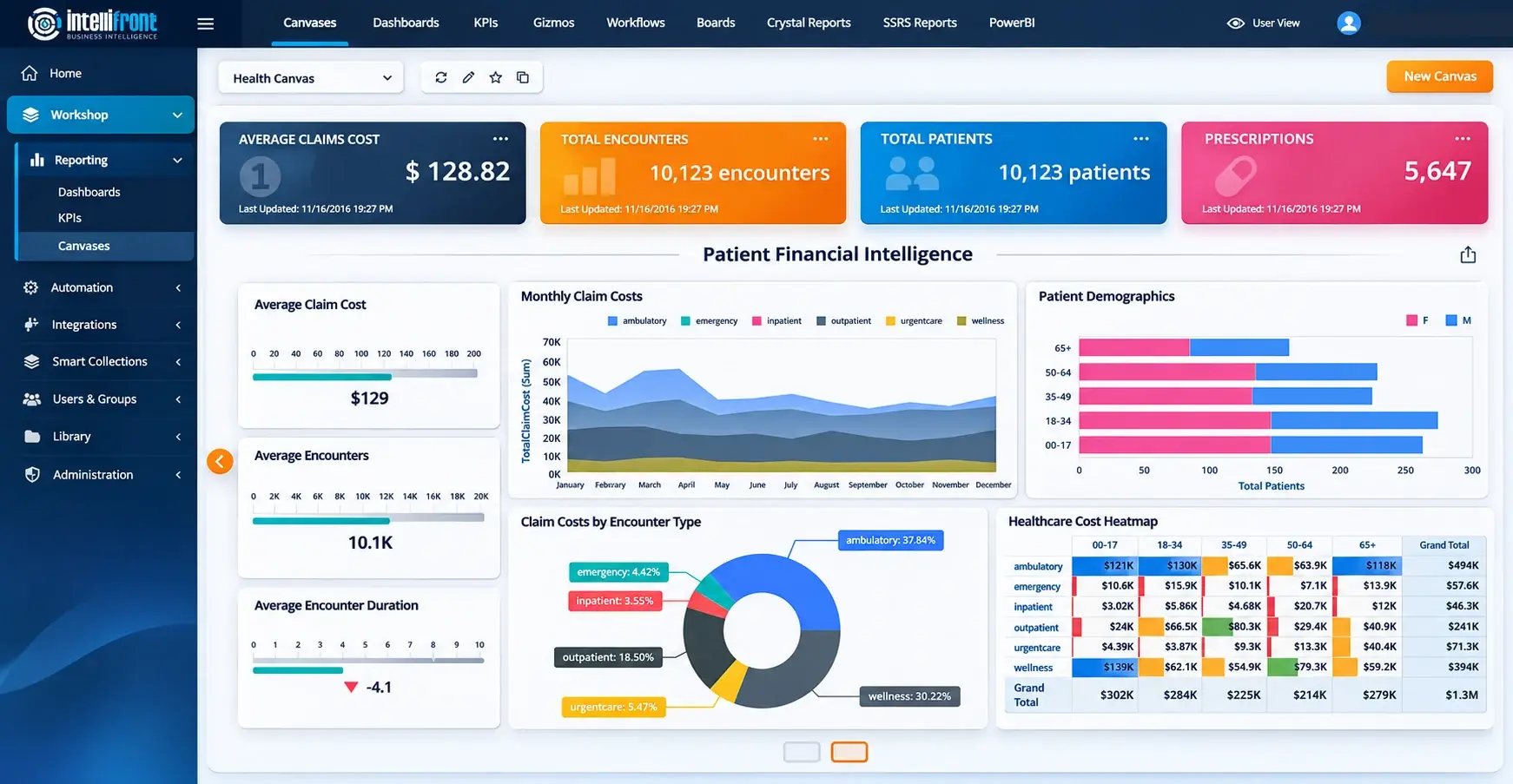
For broader reporting, readers can bring assigned dashboards and KPIs together in a personal Canvas within IntelliFront BI. Your team maintains the reporting behind both experiences.

Enhanced healthcare financial Canvas illustration showing the separate personal workspace in IntelliFront BI.

View the complete Canvas at full size →

Bring the application screen where the question comes up. Explore the dashboard that belongs there in a demo, or evaluate embedded viewing during your 30-day trial.
BOOK A DEMOSTART FREE TRIAL

Maintain the dashboard once, bring it into the workflow

Your reporting authors maintain native dashboards, calculations, defaults and guidance in IntelliFront BI. Your developers present the supported embedded sharing link within the application.

That gives each team a clear part in delivering useful reporting: authors shape the answer, and developers put the view where people need it.

Picture your own dashboard in place. Bring one application screen to a demo, or start a 30-day trial to assess embedded viewing with your reporting and development teams.
BOOK A DEMOSTART FREE TRIAL
Concept illustration of an interactive dashboard nested inside a business application

Your application experience, your reporting infrastructure

IntelliFront BI runs on infrastructure your organization controls. Your team maintains the reporting platform and manages dashboard sharing, sign-in and underlying data access for the application’s audience.

Give readers a useful view within the application while keeping responsibility for the reporting service with your organization.

Concept illustration of an embedded dashboard connected to organization-controlled servers and data

Help users move from a changing number to a clearer answer

A dashboard earns its place in your application when it helps someone understand the work in front of them. Relevant filters, clear measures and supporting detail give the reader a way to investigate.

Explore one familiar business question with us and see how an IntelliFront BI dashboard could support the decision in your application.

Business Intelligence Backed by More Than 20 Years of Experience

ChristianSteven Software has helped nearly 5,000 organizations in 47 countries with business intelligence and reporting automation. IntelliFront BI brings that experience to reporting within your application, with native dashboards, personal reporting workspaces and support for the team maintaining your reporting service.

20+
Years of business intelligence and reporting experience
Nearly 5,000
Organizations helped worldwide
47
Countries with customer organizations
SOC 2 Type II
Independent assurance over security and operational controls
Visit Our Trust Center →
Technical Support
Support and maintenance included with your IntelliFront BI subscription
All Features
Full IntelliFront BI functionality for dashboards, KPIs, Canvases and reporting
Before you evaluate

Questions about embedded dashboards

Is this an embedded dashboard designer?

Embedded viewing lets readers explore an existing dashboard within your application. Your reporting authors create and maintain that dashboard in IntelliFront BI. Dashboard authoring takes place in IntelliFront BI.

How do we evaluate this for our organization?

Show how the reader opens the dashboard, signs in when required and explores the relevant view. Review the application context and the reporting audience together.

Can we try it with our reporting?

Yes. Start a 30-day trial or book a demo around a representative reporting question and suitable prepared data.

Will readers need to sign in?

Readers sign in when required by the dashboard’s sharing configuration. The embedded sharing link preserves the intended dashboard destination after sign-in. Review sharing and data access for your intended audience during evaluation.

Can readers also have a personal reporting workspace?

Yes. A personal Canvas in IntelliFront BI brings assigned dashboards and KPIs together for a wider review. Embedded viewing places a chosen dashboard within your application for a particular task.

Who maintains the embedded dashboard?

Your reporting authors maintain the dashboard in IntelliFront BI. Your developers place the supported embedded sharing link in the application and maintain the surrounding application experience.

Explore IntelliFront BI

See Your Dashboard in Your Application’s Workflow

Book a demo around one application screen and the question your users need to answer. Explore how they reach the dashboard, sign in when required and investigate the relevant view.

Prefer to assess it with your team? Start a 30-day trial and explore embedded viewing with a representative dashboard and your intended audience.

BOOK A DEMO START FREE TRIAL