

BUSINESS INTELLIGENCE QUESTIONS

When Are Free Self-Hosted BI Tools Enough for Business Reporting?

A warehouse analyst has a stock dashboard that works on their own server. Now two more warehouses want to use it at the start of each shift.

Run one morning handover without the analyst in the room. See whether the shift lead can use the figures and who can help when an update fails.

  
THE REPORTING JOB

Define the job the free edition must do

Free self-hosted BI tools can be enough when the edition covers the reporting work, readers can get the access they need and your team can keep the service running. Define the whole job before deciding whether the prototype is ready to share.

For the warehouses, that means opening the stock dashboard in a browser, selecting the right location and finding the items that need a recount. Agree how recent the stock records must be and who needs to see the detail.

Define a pass

Write down what a shift lead must do before the first recount.

  
FEATURES AND LICENSE

Check what the edition covers

Check the terms and feature list for the edition you plan to use. Verify who can sign in, whether you can give teams different views and which exports or scheduled jobs you need. A feature in a vendor’s hosted trial may be outside its free self-hosted edition.

If a warehouse manager should see only their own site, test how the edition enforces that rule. A location filter makes a shared view easier to use. Access rules determine which records that account can open, including through a direct link.

Check the exact edition

Confirm the capabilities are available in the version you’ll run.

  
OPERATING THE SERVICE

Give someone responsibility for it

Name someone to manage updates, backups, sign-in and failed refreshes. Agree how a second person gets access to the instructions and who can act while the author is away. Include that time even if the software charge is zero.

Pick one common failure, such as the stock export arriving late. Ask the backup owner to spot the stale data, restore the update and confirm which source records the dashboard is using. Decide how to get help if the problem exceeds what your team can handle.

Give support a backup

A second person should know what to do when the refresh fails.

  
TEST WITH READERS

Run a pilot with ordinary accounts

Start with two test accounts, one for each warehouse. Have each shift lead open the dashboard, check the data timestamp and find one item that needs a recount. Then forward a direct link from one account to the other and check that it still respects the recipient’s access.
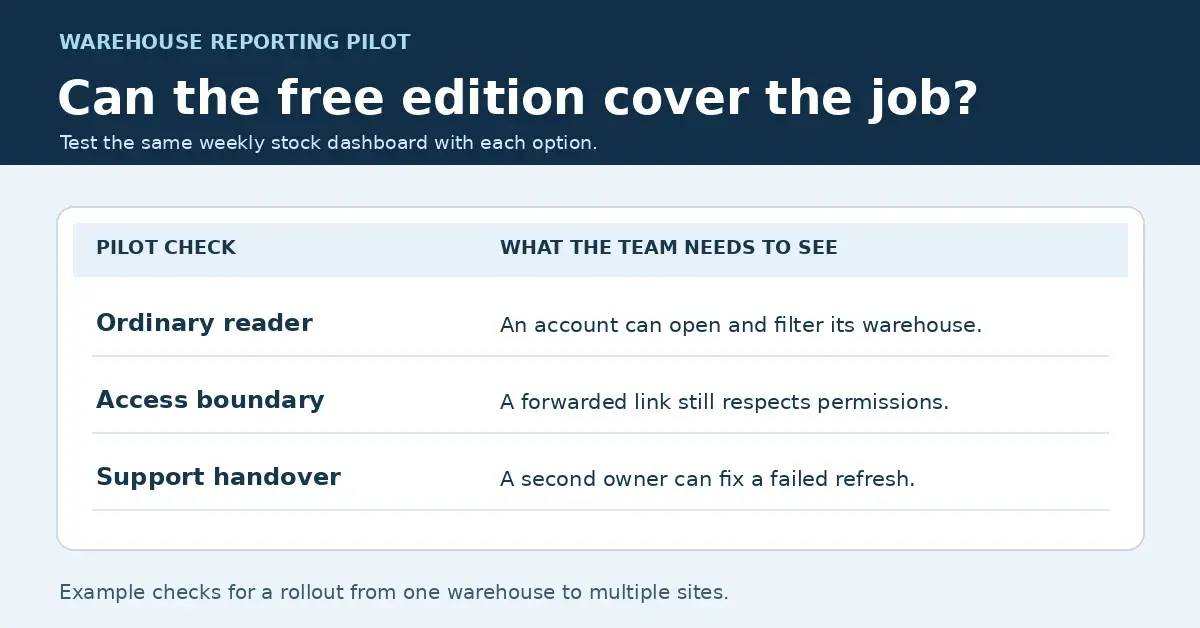
Warehouse reporting pilot checklist covering an ordinary reader’s access, a forwarded link, and recovery from a failed refresh.
Use the same warehouse reporting checks for each edition. Open the full-size checklist.

Run the same checks on any paid edition you’re considering. If one warehouse needs an export, include it in the test and confirm that the rows match what the reader is allowed to see. Record which checks each edition passes and who takes over when a refresh fails.

Test a forwarded link

Check access with the recipient’s own account.

  
THE DECISION

Pay for a specific need

Keep the free option if it passes the pilot and your team can support it. Consider paying when you can name the gap, such as a required access control, a report format you need to reuse or a support arrangement your team can rely on. Test that specific gap before buying.

IntelliFront BI is a commercial, self-hosted option. If the gap is giving teams one place to find their approved views, see how a business intelligence reporting portal can organize those reports and dashboards. Use the guide to plan the same pilot with your own reporting job.

Download the IntelliFront BI Internal Evaluation Guide

Contributors:

Christian Ofori-Boateng

Christian Ofori-Boateng

CEO, ChristianSteven Software