

LEARN BUSINESS INTELLIGENCE

Designing an Operational Dashboard Around the Next Action

Show which cases need attention, why they appear and where to pick up the work. Give readers the deadline, owner and case reference, and tell them how current the list is before they act.

  
START WITH THE DECISION

What should someone do when a case is overdue?

At 09:00, a service coordinator wants to know which cases in the North queue have missed their response deadline and still need attention. If the service application already gives the coordinator that list and a way to open the cases, start there.

A shared dashboard can help when several people need the same view of the queue before a handover. Give them the count, the cases behind it and a way to find each record in the service application.

Ask what happens next

“Which case should I open first?” is a better design brief than “Show me a red overdue number.”

  
SET THE RULE

Decide what counts as overdue

When you design an operational dashboard around the next action, agree which cases need someone to act. In this example, a case counts as overdue when it is open, its response deadline has passed and no response is recorded. Use the time covered by the source records to apply that rule. At 09:00, the dashboard shows records through 08:55. The team has agreed to use the dashboard to find candidates for follow-up when the data is no more than ten minutes old.

SR-1042 was open with no response recorded at 08:55. Its response was due at 08:30. It belongs in the overdue count. A case with no recorded deadline needs a separate check because the dashboard cannot tell when it was due.

Keep the cutoff visible

Show “Source records through 08:55” beside the list. Include the date if readers might open it on another day. If the next update is late and the data falls outside the agreed window, direct readers to the service application.

  
MAKE THE EXCEPTION EASY TO FIND

Show the case behind the count

Open the example view on the North queue. Show the selected queue beside the count, and make sure the count and list use the same rules. One case should appear.

North queue at 08:55 · 1 overdue case
CaseResponse dueOwnerStatus
SR-104208:30North dispatchOpen · Overdue

If your team needs a shared view, IntelliFront BI is ChristianSteven Software’s self-hosted reporting platform. A dashboard filter can narrow the prepared data to the selected queue. Check that it changes both the count and the list.

Put the meaning in words

Use “Overdue” in the row. A color or a marker can help it stand out, and the label still works when someone prints the list.

  
CONTINUE IN THE SOURCE SYSTEM

Pick up the work using the case reference

The coordinator copies SR-1042, searches for it in the service application and checks who owns it and whether a response has already been sent. The dashboard could still show the case as open if someone responded after 08:55.

If it still needs attention, the coordinator follows the team’s usual process and records the response in the service application. Once the dashboard picks up the recorded response, SR-1042 should drop off the overdue list even if the case stays open.

Try it with the reader’s access

Ask a coordinator to find and open SR-1042 with their usual account. The handoff works when they can find the right case and continue the work without asking the dashboard author.

  
TEST WITH A READER

Walk through one case before you share the dashboard

Test the North queue with one overdue case, an open case whose deadline hasn’t passed, an open case with a response already recorded and a closed case. Only SR-1042 should count as overdue. Try an overdue case in another queue and check that it stays out of the North view. Then show the reader a delayed update and ask where they’d check the live status.
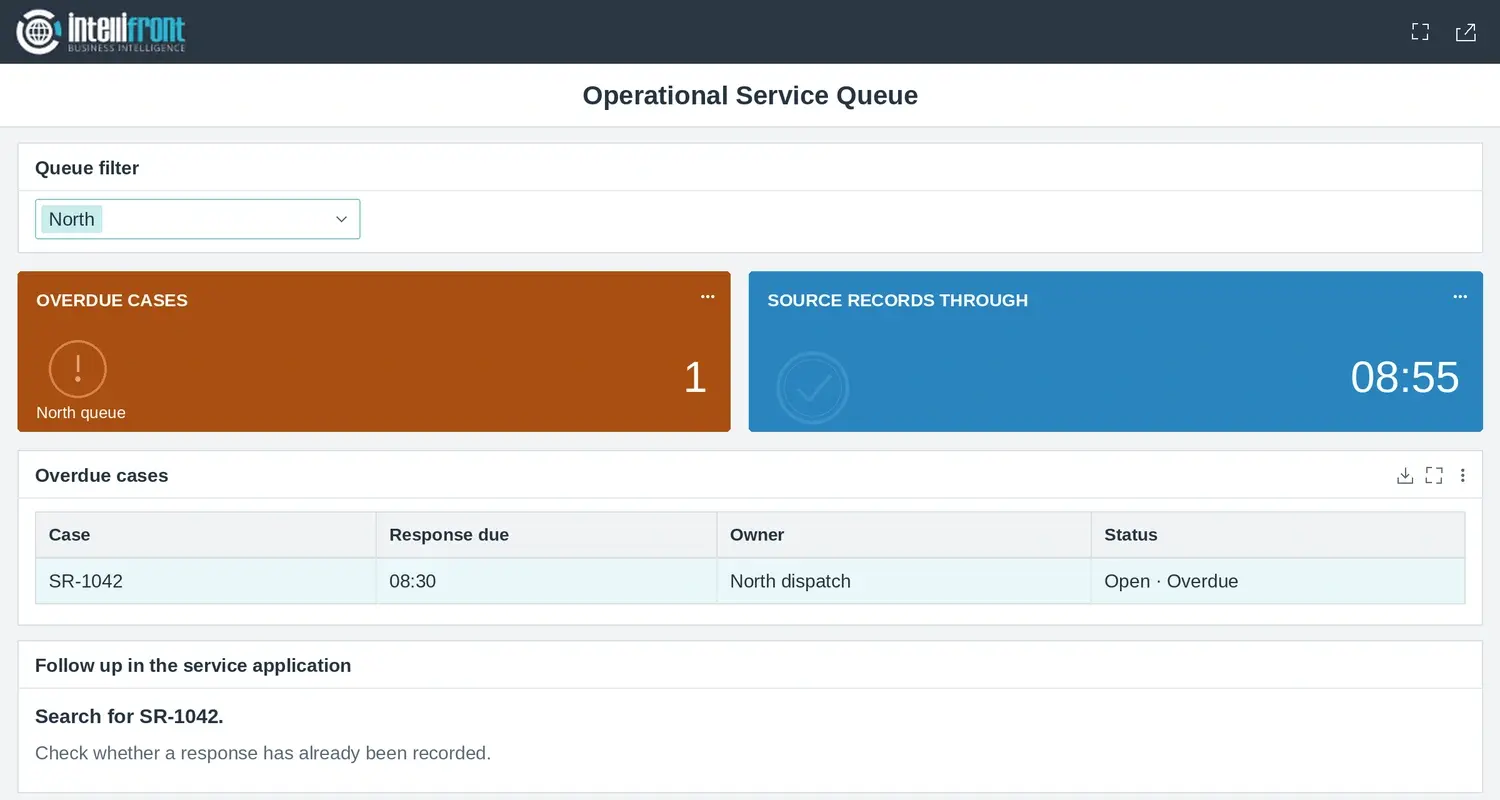
IntelliFront BI dashboard for the North queue showing one overdue case, SR-1042, due at 08:30 and assigned to North dispatch. Source records through 08:55.
The finished North queue dashboard shows one overdue case. The coordinator can use SR-1042 to check the live record before following up. Open the full dashboard.

If you need a shared place for that count and its supporting cases, see how operational dashboards can keep workload and follow-up in view.

Contributors:

Christian Ofori-Boateng

Christian Ofori-Boateng

CEO, ChristianSteven Software