

Share this
by Angelo Ortiz on Apr 8, 2026, 1:45:00 PM
KPI dashboard software gives enterprise teams one thing static reports rarely can: a shared, current view of performance. When leaders, managers, and analysts all work from the same metrics, decisions get faster, problems surface earlier, and priorities stay visible.
That sounds simple. In practice, choosing the right platform is not. Some tools look impressive in a demo but fall short on integration, governance, or adoption. Others handle visuals well but make it hard to standardize KPIs across departments.
In this guide, we'll explain what KPI dashboard software does, what features matter most, how to evaluate options for enterprise use, and where IntelliFront BI from ChristianSteven fits for organizations that need business intelligence dashboards built for real business use.
What KPI Dashboard Software Does And Why It Matters

KPI dashboard software collects key business metrics and displays them in one visual workspace. Instead of pulling numbers from separate spreadsheets, teams can monitor goals, trends, exceptions, and operational health in one place.
For enterprise organizations, that matters because fragmented reporting creates delay. Delay creates missed targets, slow responses, and conflicting versions of the truth. A dashboard platform helps reduce that friction.
How KPI Dashboards Turn Raw Data Into Actionable Visibility
A good KPI dashboard does more than show charts. It connects data sources, applies business rules, and presents metrics in a way people can act on.
That usually includes:
- Data from multiple systems such as ERP, CRM, finance, and service platforms
- Visual summaries like scorecards, trend lines, gauges, and comparison charts
- Drill-down paths so users can move from a high-level KPI to root-cause detail
- Filters and segmentation by region, product, team, or time period
Say an operations leader sees on-time delivery slipping. A static report might confirm the problem after the fact. KPI dashboard software can help that leader trace the issue to a plant, shift, supplier, or order type much faster.
This is why dashboards often sit at the center of performance management. They make numbers easier to interpret and harder to ignore.
For teams evaluating ChristianSteven's platform, IntelliFront BI is built around this exact need: turning business data into interactive dashboards, KPI views, and analytics that support faster decisions.
Why Enterprise Teams Need More Than Static Reports
Static reports still have a place. They support compliance, audits, and formal reporting cycles. But they are weak tools for active performance management.
Enterprise teams usually need more because they deal with:
- Large data volumes across many systems
- Frequent metric changes as business priorities shift
- Different stakeholder views for executives, managers, and analysts
- Cross-functional dependencies that require shared visibility
A PDF or spreadsheet snapshot cannot easily answer follow-up questions. Dashboards can. That difference matters when a sales VP wants to see pipeline by region, a CFO wants margin trends by product line, or a service director wants to track SLA risk before it becomes a customer issue.
We also see a cultural benefit. When teams use KPI dashboard software, performance conversations get more specific. Instead of debating whose spreadsheet is right, they spend more time discussing what to do next.
If you want a practical primer on KPI reporting and analytics concepts, the IntelliFront BI knowledgebase is a useful starting point.
Core Features To Look For In KPI Dashboard Software
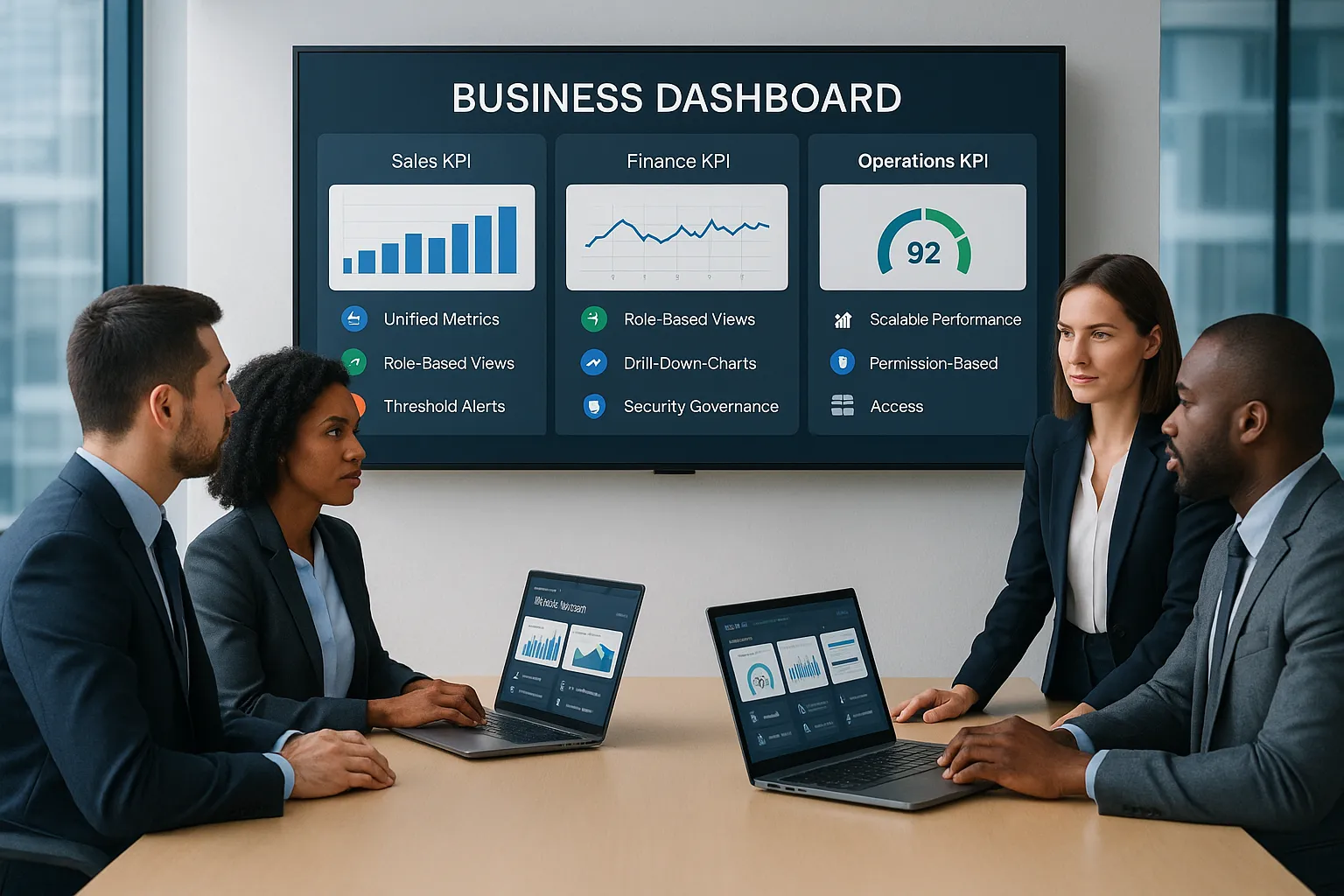
Not every dashboard platform is built for enterprise demands. The basics matter, but the difference usually shows up in data access, governance, usability, and scale.
Real-Time Data Integration And Unified Metrics
The first test is simple: Can the software pull together the data you actually use?
Strong KPI dashboard software should connect to core business systems and refresh data often enough to support timely decisions. For some teams, hourly refresh is enough. For others, near real-time access is essential.
Look for:
- Native or flexible integration options
- Support for multiple source types
- Metric standardization across departments
- Clear data definitions and transformation logic
Without unified metrics, dashboards can become prettier versions of old reporting problems. Salesforce, finance, and operations may all define the same KPI differently. The platform should help standardize that logic.
Custom Dashboards, Role-Based Views, And Drill-Down Analysis
Executives do not need the same dashboard a front-line manager needs. Good KPI dashboard software supports role-based views so each user sees what matters most.
That means the platform should allow:
- Dashboard customization by role, team, or function
- Permission-based access to sensitive data
- Interactive drill-downs from summary KPIs to detail
- Filtering and slicing by time, geography, customer, product, or business unit
This is where IntelliFront BI stands out in the context of this topic. It supports business intelligence dashboards and KPI analysis for organizations that need to present metrics clearly to different audiences without losing underlying detail. You can explore related setup and usage guidance in the IntelliFront BI knowledgebase.
Automated Scheduling, Distribution, And Alerts
Alerts matter in KPI dashboard software because they tell users when a threshold changes or a metric needs attention. Threshold-based notifications can help teams react faster to service issues, cost overruns, or sales slowdowns.
When reviewing this area, focus on exception awareness and how well the platform flags issues. A dashboard should not force leaders to hunt for trouble manually.
Helpful capabilities include:
- KPI threshold alerts
- Status indicators and exception highlighting
- Triggered notifications tied to business rules
- Easy sharing of dashboard insights across teams
Security, Governance, And Scalability Requirements
For enterprise use, governance is not optional. A dashboard platform must protect sensitive data, maintain consistency, and scale as usage grows.
Ask whether the software supports:
- Role-based security
- Auditability and administrative control
- Consistent KPI definitions across teams
- Growth in users, data volume, and dashboard complexity
This point often gets less attention than visual design, but it is where many rollouts succeed or fail. If business users lose trust in the numbers, adoption drops fast.
For broader reading, Microsoft's guidance on designing effective Power BI dashboards and Klipfolio's resources on KPI dashboards both reinforce the same lesson: clarity is important, but governed data is what makes dashboards useful at scale.
How To Evaluate KPI Dashboard Software For Enterprise Use

If your search is really about how to choose KPI dashboard software, use a structured review process. Demos alone are not enough. We recommend comparing tools against the way your business actually operates.
Questions To Ask About Deployment, Administration, And Adoption
Start with practical questions. They often reveal more than feature lists do.
Ask vendors:
- How does deployment work for our environment?
- What data sources are supported today?
- How much admin effort is needed to manage users, metrics, and dashboards?
- How are permissions handled across departments?
- What training will business users need?
- How quickly can we launch a useful first dashboard?
Also ask to see real workflows, not just polished samples. For example, have the vendor show how a finance manager would investigate a margin drop, or how an operations leader would compare plant performance.
With IntelliFront BI, we would evaluate how its dashboarding and analytics features align with enterprise administration needs, user access requirements, and cross-functional KPI visibility. The IntelliFront BI knowledgebase can help teams understand product capabilities and implementation considerations before a formal review.
How To Compare Total Cost, Flexibility, And Long-Term Fit
Price matters, but total cost is bigger than licensing. You also need to consider implementation, integration work, governance effort, support, and the internal time needed to maintain dashboards.
A practical evaluation matrix should include:
- Upfront cost: licensing, setup, data integration
- Ongoing cost: administration, support, updates, training
- Flexibility: custom KPIs, dashboard changes, new data sources
- Long-term fit: scale, governance, user adoption, vendor stability
Here's a simple test: imagine your business changes direction in six months. Can the platform adapt without a major rebuild? If not, the lower-cost option may become the more expensive one.
We also suggest scoring software against real business outcomes, such as:
- Faster executive review cycles
- Less manual KPI compilation
- Better cross-team alignment
- Earlier detection of performance issues
That approach keeps the evaluation grounded. It moves the conversation from "Which tool has more charts?" to "Which KPI dashboard software helps us make better decisions with less friction?"
Common KPI Dashboard Software Use Cases Across Departments

The best KPI dashboard software supports both enterprise-wide oversight and team-level action. The use cases vary by function, but the pattern is the same: centralize metrics, make trends visible, and support faster decisions.
Executive Reporting And Cross-Functional Performance Monitoring
Executives need a concise view of business health. That usually includes revenue, margin, forecast accuracy, customer trends, operational output, and service performance.
A cross-functional executive dashboard can help leaders:
- Track progress against strategic goals
- Spot underperformance early
- Compare regions, divisions, or product lines
- Align department leaders around the same KPIs
This is a strong fit for dashboard platforms like IntelliFront BI, where organizations need one place to monitor business performance across functions. Supporting documentation and examples in the IntelliFront BI knowledgebase can help teams think through executive dashboard structures.
Sales, Finance, Operations, And Service Team Dashboards
Department dashboards get more specific.
Sales teams often track:
- Pipeline by stage
- Win rate
- Average deal size
- Rep performance
- Forecast vs. target
Finance teams often track:
- Revenue and gross margin
- Budget vs. actuals
- Cash flow indicators
- Expense trends
- Profitability by customer or product
Operations teams often track:
- Throughput
- Downtime
- On-time delivery
- Inventory turns
- Production efficiency
Service teams often track:
- SLA compliance
- Ticket backlog
- Resolution time
- First-contact resolution
- Customer satisfaction trends
The value of KPI dashboard software here is not just visibility. It is focus. Each team sees the few metrics that shape daily decisions, while leadership still gets a connected view across the business.
Best Practices For Building KPI Dashboards People Actually Use
Even the best KPI dashboard software fails if the dashboard itself is cluttered, vague, or disconnected from real decisions. Adoption depends as much on design discipline as platform features.
Choose KPIs That Align With Business Goals
Start with business goals, not chart ideas.
Every KPI should answer a simple question: What decision does this metric support? If no one can answer that, the KPI probably does not belong on the dashboard.
Good KPIs are:
- Specific
- Measurable
- Relevant to a business goal
- Easy to interpret
- Actionable by the intended user
Avoid vanity metrics. More data is not better if it distracts from action.
Design For Clarity, Context, And Decision-Making
A useful dashboard is easy to scan. It shows what matters, what changed, and where to look next.
Use these rules:
- Put the most important KPIs first
- Show trends, not isolated numbers
- Add targets or benchmarks for context
- Use color sparingly and consistently
- Keep charts simple
- Make drill-down paths obvious
And keep the screen focused. If everything is important, nothing is.
For organizations using IntelliFront BI, these same principles apply. The software can support strong KPI dashboards, but success depends on choosing the right metrics, structuring views by audience, and giving users the context they need to act.
Conclusion
Choosing KPI dashboard software is not really about picking the flashiest interface. It is about finding a platform that turns business data into trusted, usable decision support.
For enterprise teams, the right choice should combine integrated data, clear KPI views, role-based analysis, strong governance, and room to grow. That is the standard to hold every vendor to.
If you are exploring options in this space, IntelliFront BI from ChristianSteven is worth reviewing as a business intelligence and KPI dashboard solution for enterprise organizations. And if you want more product-specific guidance, the IntelliFront BI knowledgebase is the best next stop.
Meta title: KPI Dashboard Software: How to Choose the Right Platform
Meta description: Learn how to choose KPI dashboard software that improves visibility, aligns teams, and supports faster business decisions.
Key Takeaways
- KPI dashboard software provides a unified, real-time view of business performance that accelerates decision-making and highlights issues early across the enterprise.
- Effective KPI dashboard software integrates data from multiple sources, standardizes metrics, and supports role-based, customizable views for diverse business users.
- Automated alerts and drill-down capabilities in KPI dashboards help teams quickly identify and investigate performance problems before they escalate.
- Strong governance, security, and scalability are essential features to maintain data trust, support widespread adoption, and meet enterprise demands.
- Evaluating KPI dashboard software should focus on total cost, flexibility, ease of deployment, cross-departmental compatibility, and long-term adaptability to changing business needs.
- Choosing the right software, like IntelliFront BI, ensures dashboards turn raw data into actionable insights that align with business goals and boost team alignment.
Frequently Asked Questions about KPI Dashboard Software
What is KPI dashboard software and why is it important for enterprises?
KPI dashboard software centralizes key business metrics from multiple systems, providing real-time, visual insights that help enterprise teams align, act faster, and detect issues early compared to static reports.
How does KPI dashboard software improve decision-making compared to static reports?
Unlike static reports, KPI dashboards offer live data integration, interactive drill-downs, and role-based views, enabling faster issue identification and cross-functional alignment to support proactive business decisions.
What core features should I look for in KPI dashboard software for enterprise use?
Key features include real-time data integration from diverse sources, customizable dashboards with role-based access, automated alerts for threshold breaches, strong security governance, and scalability to handle growing data and users.
How can KPI dashboards be customized for different users in an organization?
Good KPI dashboard software supports role-based views allowing customization by function or team, ensuring each user sees relevant metrics with permissions to access sensitive data and the ability to drill down into detailed analysis.
What are common use cases of KPI dashboard software across various departments?
Executives use KPI dashboards for strategic health monitoring, sales teams track pipeline and win rates, finance manages revenue and margins, operations focus on efficiency and delivery, while service teams monitor SLA compliance and customer satisfaction.
How should enterprises evaluate the total cost and long-term fit of KPI dashboard software?
Consider upfront licensing and integration costs, ongoing administration and training expenses, flexibility for customization, scalability, governance support, and vendor stability to ensure the platform adapts to changing business needs without high rebuild costs.

No Comments Yet
Let us know what you think