

Share this
by Alexandra Nicholls on Aug 6, 2026, 7:54:03 PM
Enterprise BI teams face a tough challenge: automating report delivery while keeping sensitive data secure and compliant. When reports go out to the wrong recipients or lack proper access controls, the consequences can range from regulatory fines to damaged stakeholder trust. ChristianSteven helps organizations automate their BI report automation across Power BI, SSRS, and Tableau while maintaining strict governance standards.
This guide walks you through seven practical steps to reduce data governance risks in your report automation workflows. You'll learn how to establish access controls, implement audit trails, and ensure your automated reports meet compliance requirements every time.
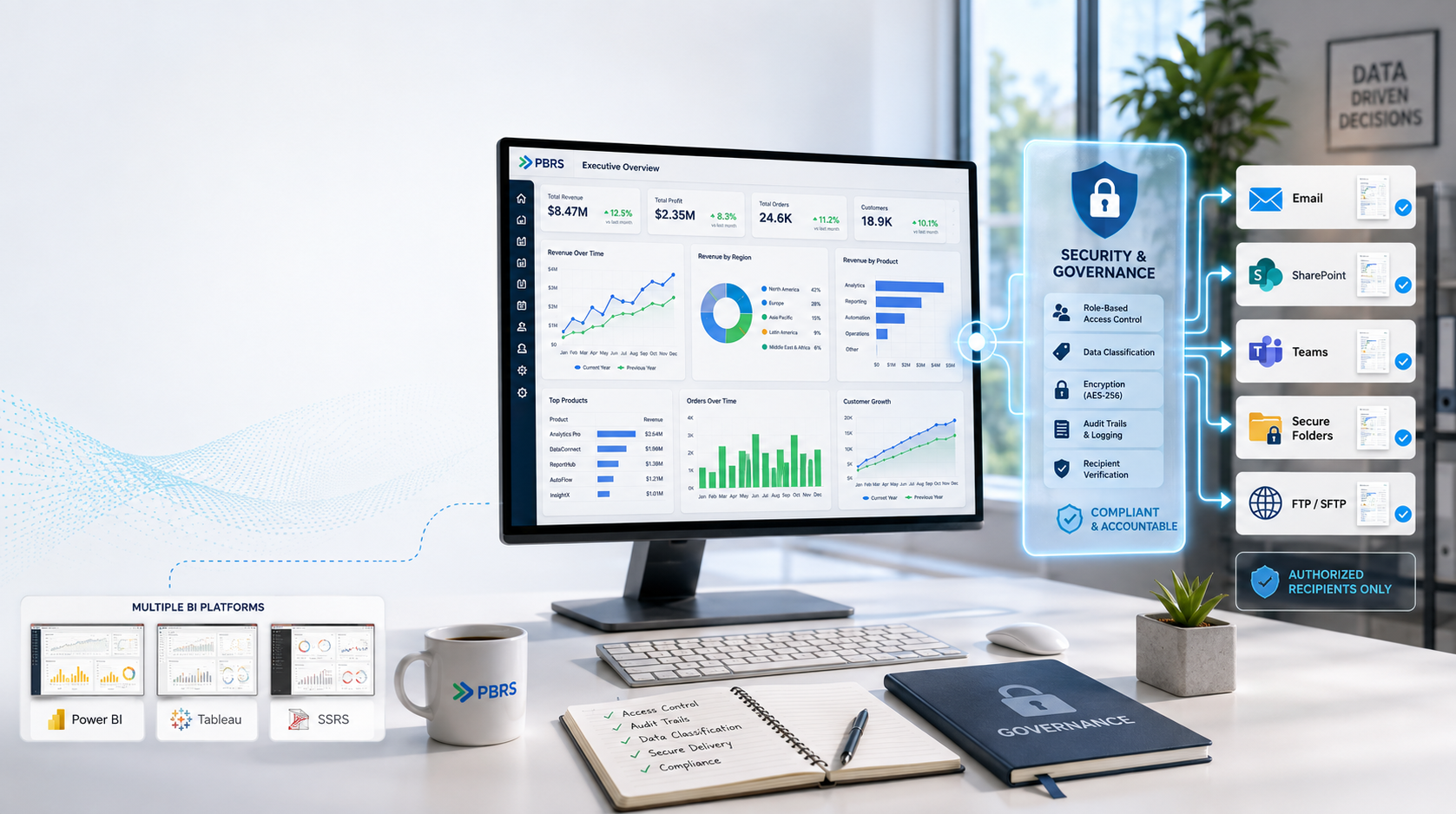
Quick Guide: How to Reduce BI Report Automation Risks in 7 Easy Steps
- Assess Your Current Report Distribution Landscape: Map all automated reports, recipients, and data sensitivity levels across your BI platforms.
- Define Role-Based Access Controls for Report Schedules: Restrict who can create, modify, and view report schedules based on job responsibilities.
- Implement Data Classification for Automated Reports: Tag reports by sensitivity level to enforce appropriate handling and distribution rules.
- Configure Audit Trails for All Report Activities: Track every schedule creation, modification, and delivery for accountability and compliance.
- Set Up Secure Delivery Destinations: Ensure reports reach encrypted channels, authorized folders, and verified recipients only.
- Establish Exception Handling and Monitoring: Create alerts for failed deliveries, blank reports, or unauthorized access attempts with ChristianSteven's PBRS.
- Review and Update Governance Policies Regularly: Schedule quarterly audits to align automation practices with evolving regulations.
How to Reduce Data Governance Risks in Enterprise Report Automation
1. Assess Your Current Report Distribution Landscape
Start by creating an inventory of every automated report running in your organization. Document which BI platform each report originates from, who receives it, and what data it contains. This visibility forms the foundation of any governance strategy.
Look for reports that contain personally identifiable information, financial data, or proprietary business metrics. These need extra attention when setting up automation rules. Many organizations discover they have dozens of "shadow" schedules created years ago that no one actively manages.
Check for overlapping or duplicate schedules that waste system resources. You may find multiple teams scheduling the same report independently, creating confusion about which version is authoritative.
2. Define Role-Based Access Controls for Report Schedules
Role-based access control determines who can create, edit, and delete report schedules. Without these boundaries, any user with system access could potentially schedule reports containing sensitive data to external recipients.
Assign schedule creation privileges only to team leads or BI administrators. Allow individual contributors to request schedules through an approval workflow rather than creating them directly. This prevents well-intentioned but risky automation setups.
Use Active Directory integration to align report schedule permissions with your existing organizational structure. When employees change roles or leave the company, their schedule access updates automatically.
3. Implement Data Classification for Automated Reports
Not all reports carry the same risk. A monthly sales summary for internal teams requires different handling than a compliance report containing customer financial data. Create classification tiers that match your organization's data sensitivity framework.
Apply metadata tags to each scheduled report indicating its classification level. These tags trigger automated rules about encryption requirements, allowed destinations, and recipient verification steps.
Consider implementing password protection for reports classified as confidential or above. The encryption happens automatically during export, so recipients need the correct credentials to access the content.
4. Configure Audit Trails for All Report Activities
Audit trails create an immutable record of every action taken within your report automation system. When regulators ask who accessed a specific report or when a schedule was modified, you need answers ready.
Log the timestamp, user identity, and specific changes for every schedule creation or edit. Track successful deliveries alongside failures. Store these logs in a location separate from the automation system itself for independent verification.
Review audit logs monthly to identify patterns that suggest policy violations or security concerns. Repeated failed delivery attempts to unfamiliar addresses could indicate an attempted data exfiltration.
5. Set Up Secure Delivery Destinations
Where your automated reports land matters as much as what they contain. A report delivered to an unencrypted email or public file share becomes a data breach waiting to happen.
Configure approved destination lists for each data classification tier. Confidential reports might only go to encrypted SharePoint folders or internal email addresses. PBRS from ChristianSteven supports delivery to multiple secure destinations including FTP, SharePoint, Teams, and encrypted email.
Enable recipient verification for high-sensitivity reports. This might mean requiring recipients to authenticate before downloading attachments or sending reports only to verified corporate email domains.
6. Establish Exception Handling and Monitoring
Automation failures create governance gaps. When a scheduled report fails to deliver, the intended recipient might request the data through informal channels that bypass your security controls.
Set up real-time alerts for any schedule that fails to complete successfully. PBRS includes exception handling features that notify administrators immediately when deliveries fail or reports generate blank.
Create escalation procedures for critical reports. If a compliance report fails to reach the CFO by the required deadline, someone needs to know within minutes, not days. Automated retry logic can resolve transient issues without human intervention.
7. Review and Update Governance Policies Regularly
Data governance regulations evolve constantly. A policy that met requirements last year may have gaps today. Schedule quarterly reviews of your report automation governance framework.
Include stakeholders from IT, legal, compliance, and business units in these reviews. Each perspective helps identify blind spots. The legal team might flag new regulatory requirements while business users highlight operational challenges with current policies.
Document all policy changes and communicate them to users who manage report schedules. Training on updated procedures prevents accidental violations from outdated practices.
What Are the Biggest Data Governance Risks in BI Report Automation?
Unauthorized data access tops the list of governance risks. When report schedules run automatically, they can send sensitive information to recipients who shouldn't have it if access controls aren't properly configured. This risk multiplies across large organizations where employee roles change frequently.
Missing audit trails create compliance exposure. Without records of who scheduled what report and when, organizations struggle to demonstrate due diligence during regulatory examinations. Financial services and healthcare organizations face particular scrutiny in this area.
Unencrypted delivery channels leave data vulnerable in transit. Reports traveling through standard email or landing in unprotected folders can be intercepted or accessed by unauthorized parties. The risk compounds when reports contain customer data subject to privacy regulations.
How Do Enterprises Balance Automation Speed With Governance Controls?
The key lies in building governance into the automation workflow rather than treating it as a separate checkpoint. When security controls are baked into the scheduling interface, users can't accidentally create non-compliant schedules.
Pre-approved templates speed up schedule creation while enforcing standards. Instead of configuring every setting from scratch, users select from templates that already have appropriate encryption, destination restrictions, and approval workflows built in.
Automated validation catches errors before reports go out. The system can verify recipient email addresses against approved lists, confirm encryption settings match data classification, and flag schedules that violate policy. These checks happen in seconds without slowing down legitimate work.
How ChristianSteven Helps You Reduce BI Report Automation Risks
ChristianSteven's PBRS and ATRS products give enterprise BI teams the tools to automate reports without sacrificing governance. PBRS handles Power BI and SSRS report scheduling with built-in security features like PDF encryption, password protection, and granular user permissions.
For Tableau environments, ATRS delivers the same level of control. Both products include role-based security, audit trails, and Active Directory integration to align with your existing governance framework. The on-premises architecture means your data never leaves your infrastructure.
With over 20 years of experience in BI report automation, ChristianSteven understands the balance between operational efficiency and compliance requirements. The data-driven scheduling feature pulls recipient lists and filter values from your database, ensuring reports always reach the right people with the right data. Start your free 30-day trial to see how your team can automate reports with confidence.
FAQs About How to Reduce Data Governance Risks in Enterprise BI Report Automation
What is data governance in BI report automation?
Data governance in BI report automation refers to the policies, processes, and controls that manage how automated reports are created, distributed, and accessed. It ensures sensitive data reaches only authorized recipients while maintaining compliance with regulatory requirements. ChristianSteven's PBRS includes built-in governance features like audit trails and role-based permissions.
How do I secure automated Power BI reports?
Secure your automated Power BI reports by encrypting PDF exports, requiring passwords for file access, and restricting delivery destinations to approved channels. PBRS from ChristianSteven lets you configure these security settings at the schedule level, so each report gets appropriate protection based on its sensitivity.
Can I track who receives automated reports?
Yes. Enterprise report automation tools should log every delivery with recipient details, timestamps, and delivery confirmation. ChristianSteven's products maintain detailed audit trails that record all schedule activities, helping you demonstrate compliance during audits and track data access patterns.
What happens when an automated report fails to deliver?
Failed deliveries should trigger immediate alerts to administrators. The system logs the failure reason, allowing quick diagnosis and resolution. ChristianSteven's exception handling can automatically retry deliveries, escalate to backup contacts, or suppress blank reports to prevent confusion.
How often should I review report automation governance policies?
Review your governance policies quarterly at minimum. More frequent reviews may be needed when regulations change or after security incidents. Include cross-functional stakeholders to ensure policies address technical, legal, and operational requirements.
No Comments Yet
Let us know what you think